CLI Authentication
The CLI needs to know which QA Sphere instance to talk to and how to authenticate. Two methods are supported: interactive OAuth login (recommended) and an API token in environment or config files.
OAuth login (recommended)
qasphere auth login
This prompts for your team name, opens a browser for authorization, and stores OAuth tokens persistently. The flow requires an interactive terminal (TTY) — it isn't suitable for headless CI.
OAuth sessions are valid for 90 days, with the window resetting on every CLI use. As long as you keep running qasphere commands, you won't need to re-authenticate. Tokens are refreshed automatically when within 5 minutes of expiry.
Other auth commands:
qasphere auth status    # Show currently active credential and verify the server is reachable
qasphere auth logout    # Clear stored credentials
Where credentials are stored
OAuth tokens are written to the operating system keyring (under the qasphere-cli service) when one is available. If the keyring is unavailable, the CLI falls back to ~/.config/qasphere/credentials.json with file mode 0600.
API token
For CI/CD pipelines and any non-interactive environment, configure an API token instead. Set:
QAS_TOKEN— your QA Sphere API token (see the API Authentication guide for how to generate one)QAS_URL— base URL of your QA Sphere instance, e.g.https://qas.eu1.qasphere.com
These variables can be defined as environment variables, in a .env file, or in a .qaspherecli file in the current directory or any parent.
# .qaspherecli (or .env)
QAS_TOKEN=your_token
QAS_URL=https://qas.eu1.qasphere.com
Never commit .env or .qaspherecli files containing real tokens. Use your CI provider's secret store (GitHub Actions Secrets, GitLab CI/CD Variables, Bitbucket Repository Variables) instead.
Credential resolution order
When the CLI needs credentials, it resolves them in the following order (first match wins):
QAS_TOKENandQAS_URLenvironment variables.envfile in the current working directory- System keyring (set by
qasphere auth login) ~/.config/qasphere/credentials.json(fallback when keyring is unavailable).qasphereclifile in the current directory or any parent directory
If no source resolves, the CLI prints a setup guide to stderr and exits with status 1.
Generating an API token
API tokens are created in the QA Sphere web UI:
- Click the gear icon
 in the top right corner.
 - Click API Keys.
- Click Create API Key and save the generated value — you won't see it again.
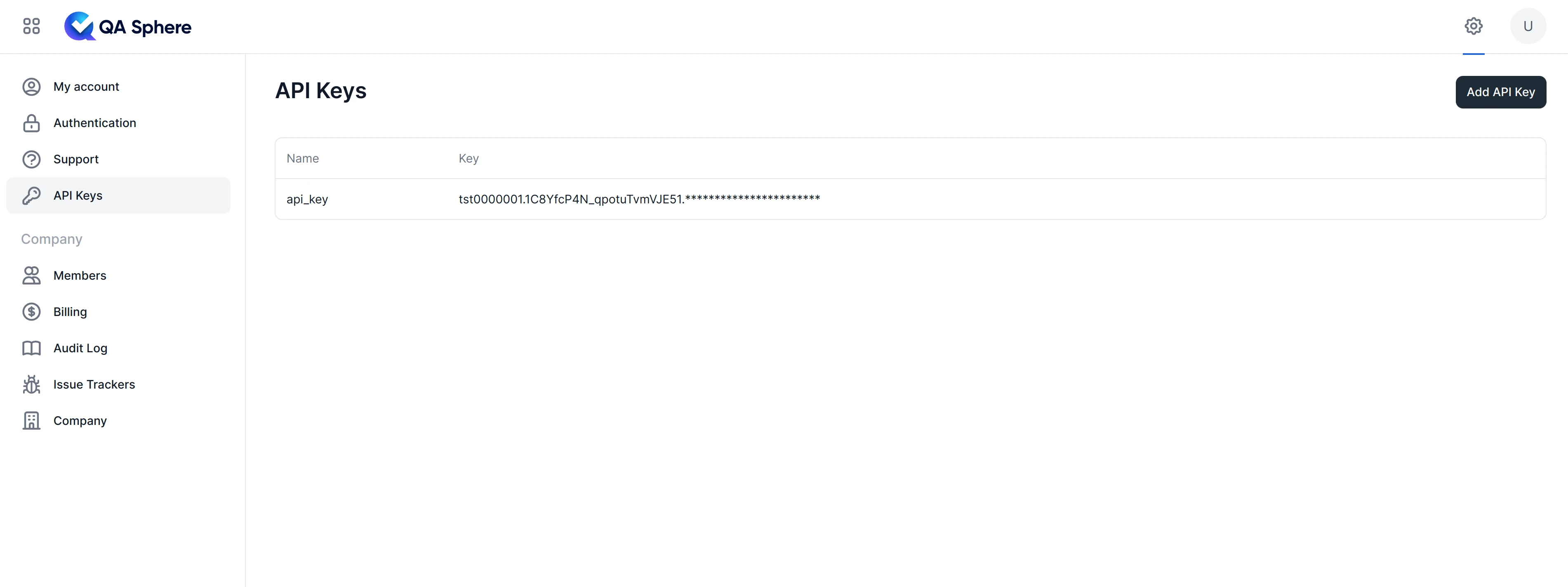
The same token is used for raw REST calls — see API Authentication for details on scopes and rotation.