QA Sphere 26W02 Release
This release brings enhanced security controls for enterprise teams, custom webhook payloads, and expanded API capabilities for automation workflows.
New Features
-
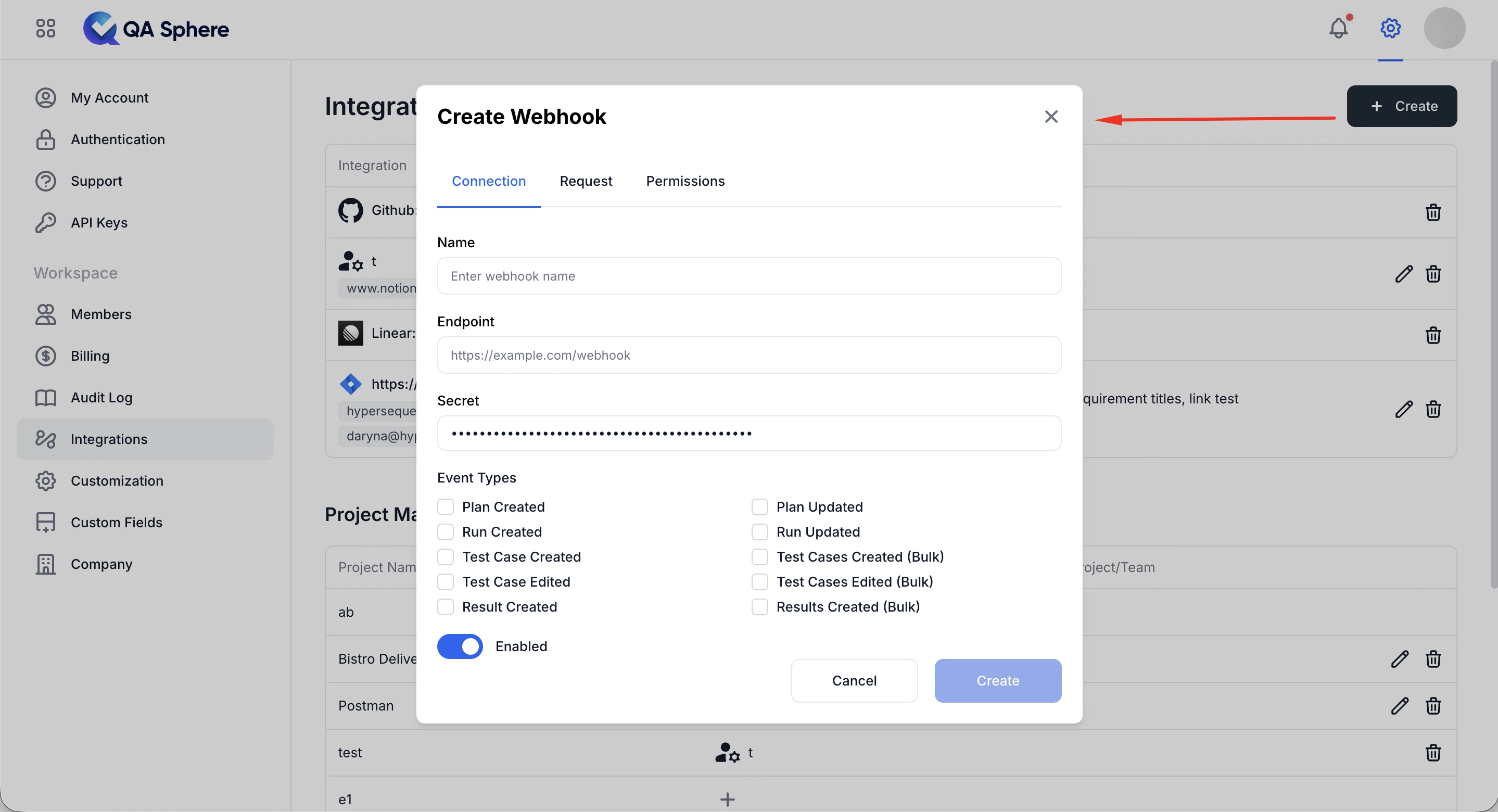
Custom webhook payload support
You can configure custom webhook payloads from Integrations → Webhooks, allowing dynamic data to be sent to external systems. See the Webhooks documentation for setup details.
-
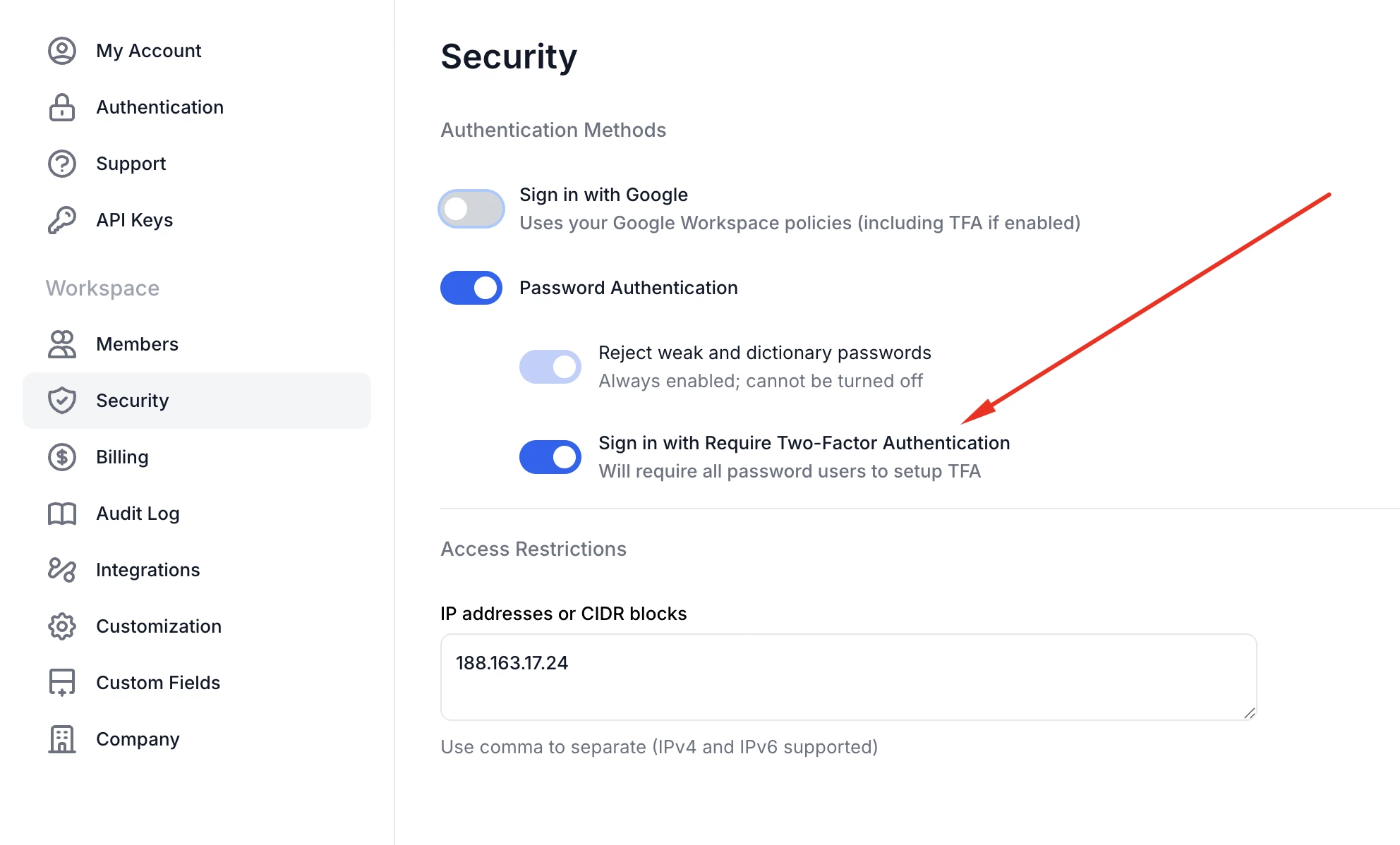
Enforce two-factor authentication
Admins on the Business plan can enforce two-factor authentication (2FA) for all users in the workspace. When enabled, users without 2FA are logged out and must complete 2FA setup on next login.
-
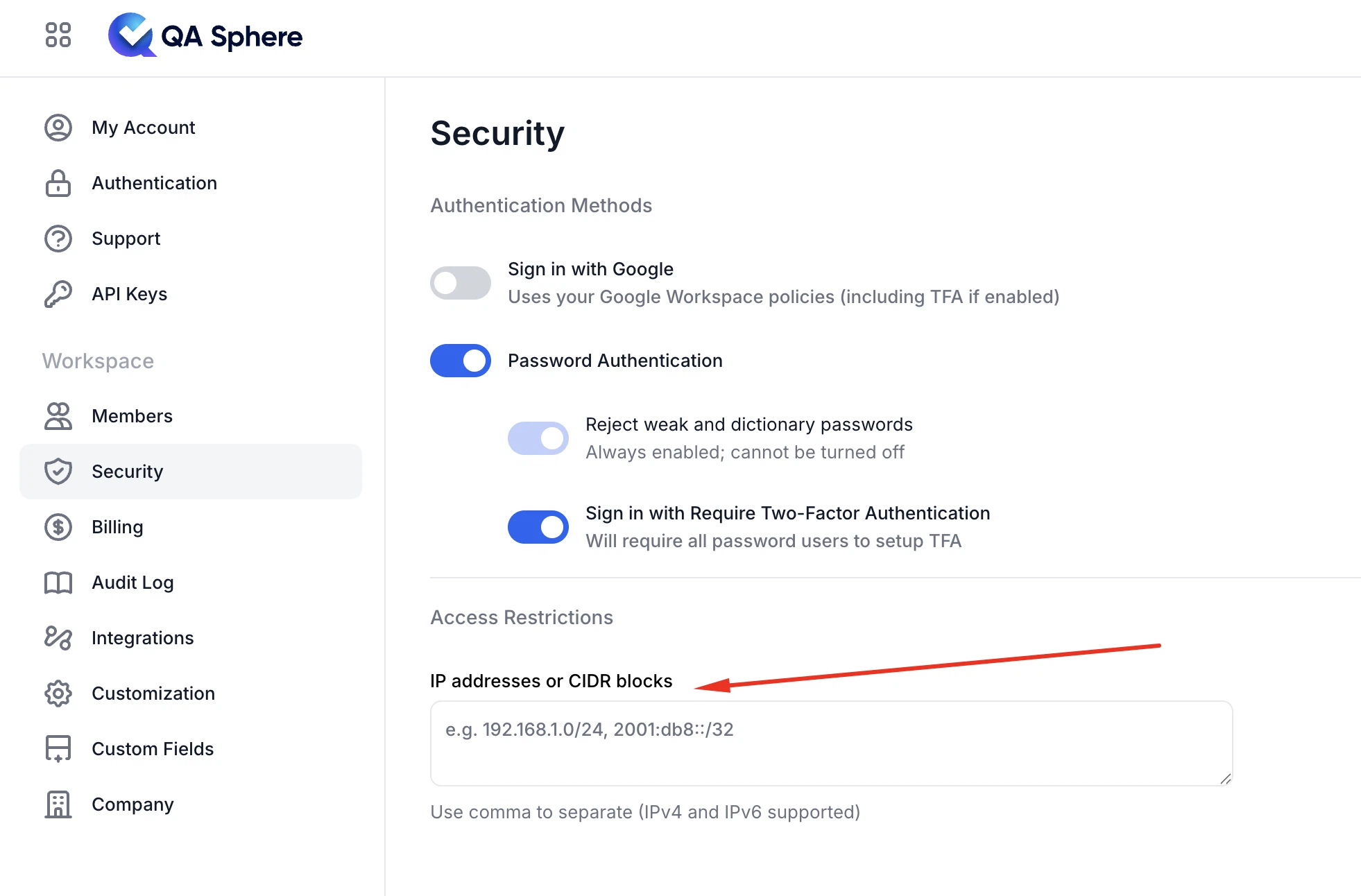
IP allow list for workspace access
Admins on the Business plan can restrict workspace access to a predefined list of allowed IP addresses or CIDR ranges, adding an extra layer of security for enterprise environments.
-
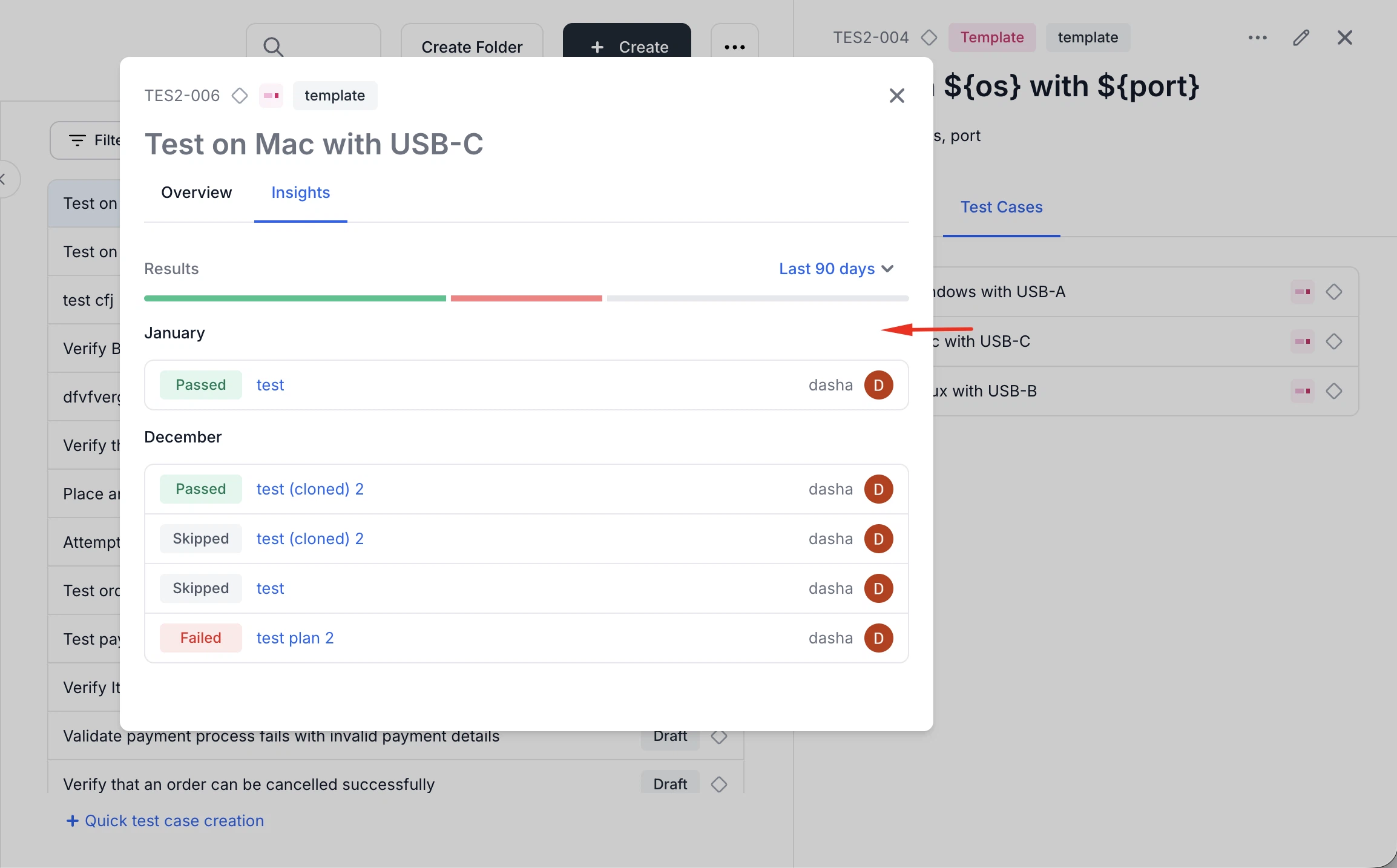
Insights for parameterized test cases
Added ability to view Insights for filled/parameterized test cases directly from the test case listing.
-
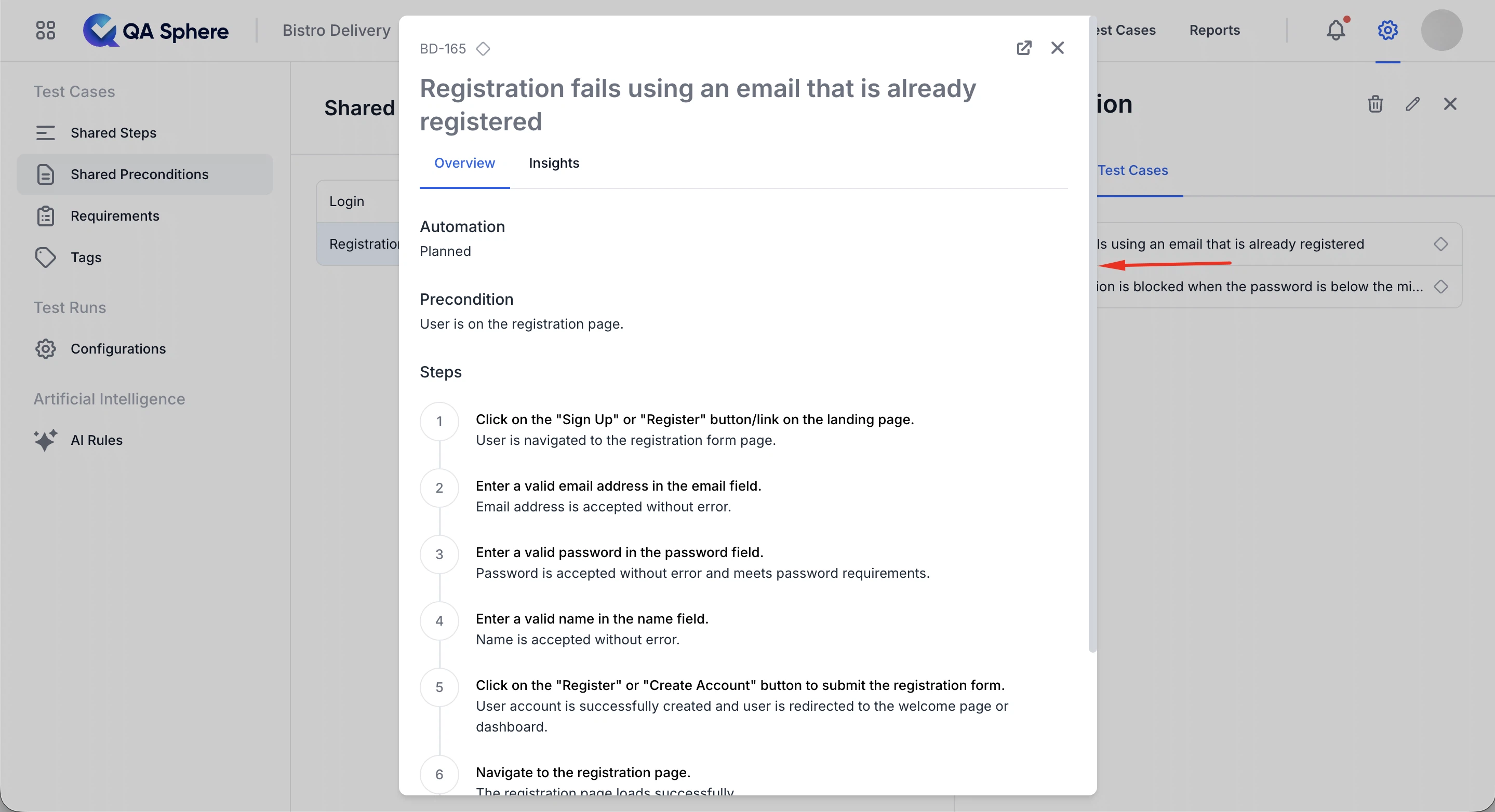
Preview modal on the Resources page
Test cases opened from the Resources page now appear in a modal preview, reducing unnecessary navigation.
-
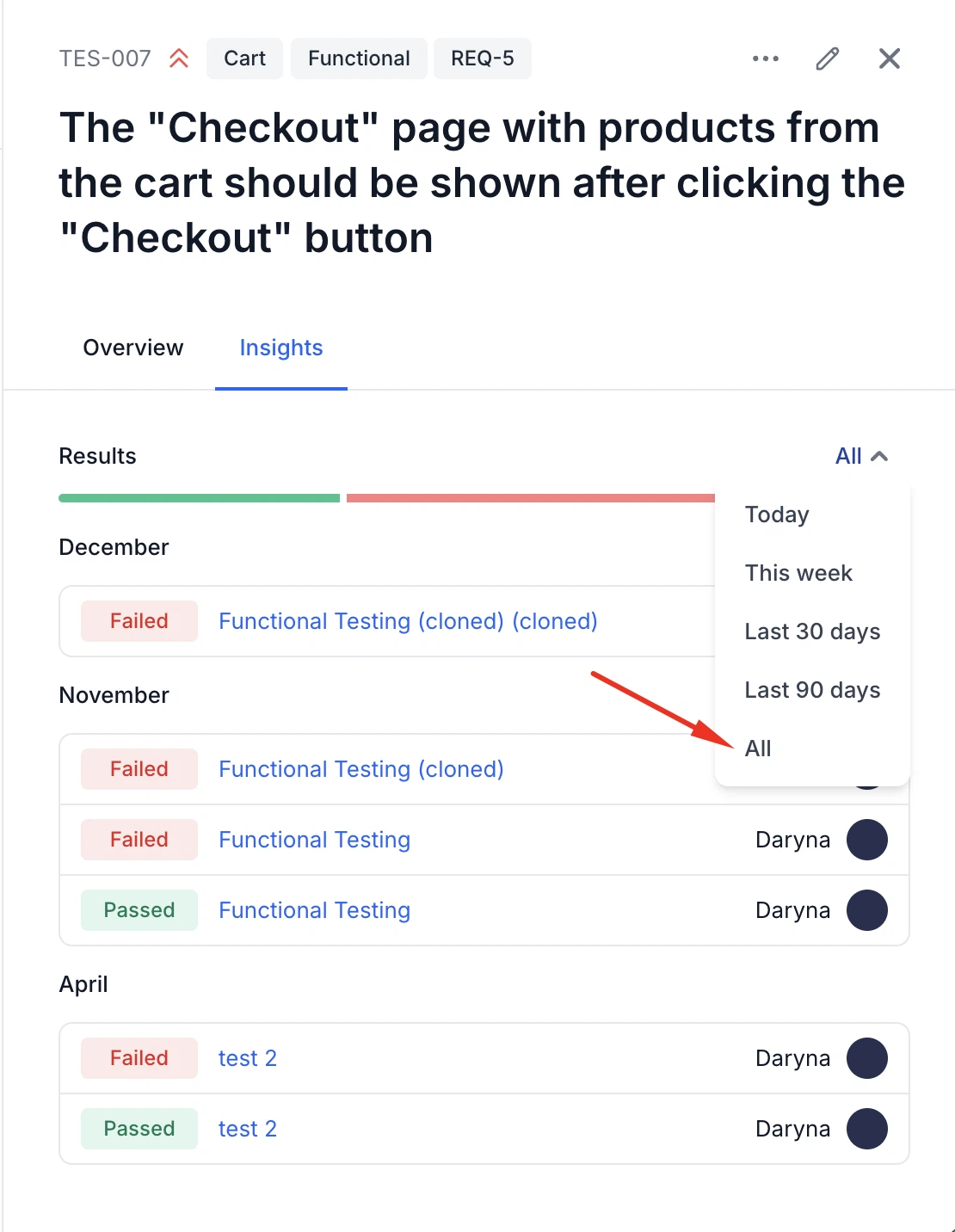
"All time" filter for test case insights
An "All time" option has been added to the insights date filter, making it easier to view the complete execution history of a test case.
-
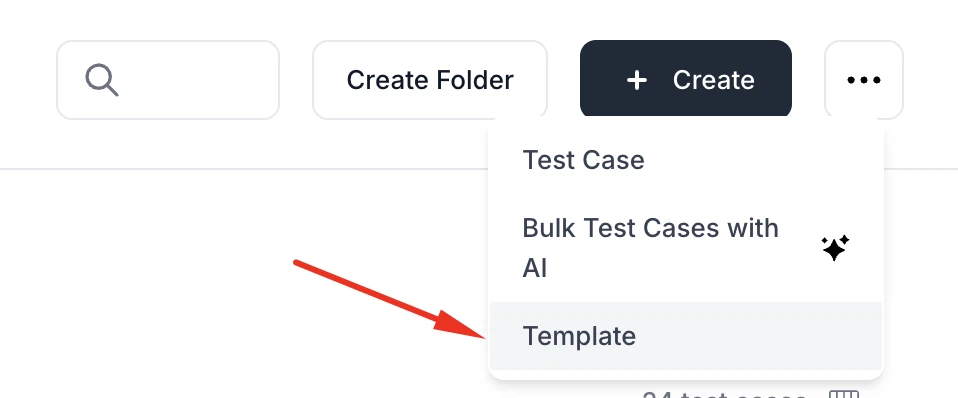
"Create template" action moved to Create dropdown
The Create template test case action has been moved into the main Create dropdown, making the interface cleaner and test case creation more consistent.
-
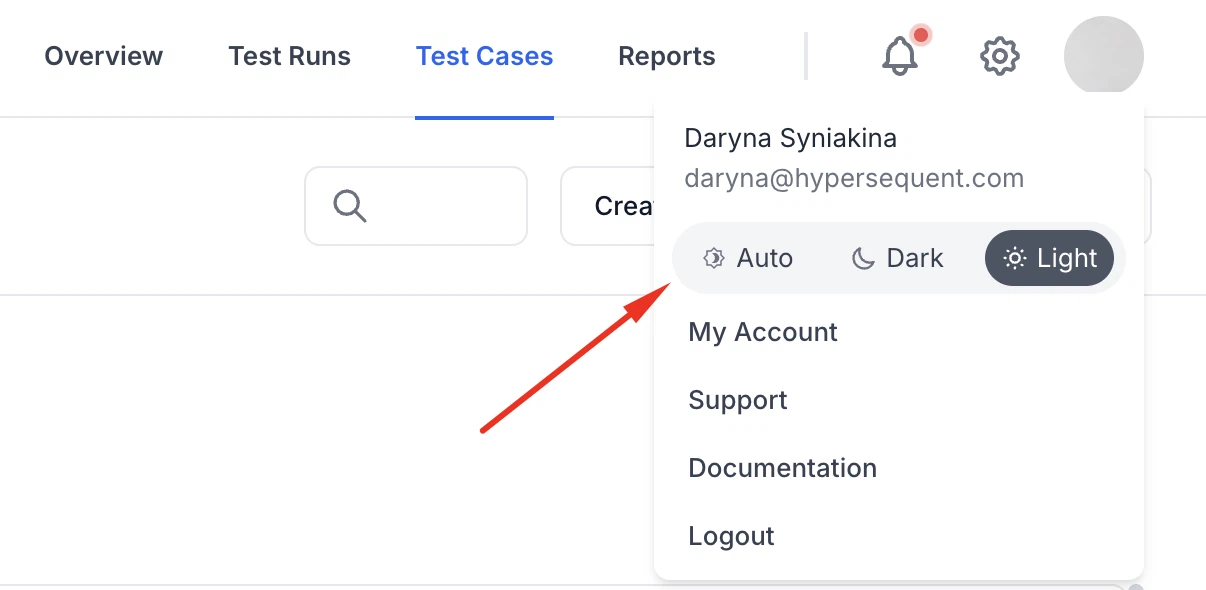
Improved theme mode control
The theme switch in the profile menu has been updated for a better experience.
-
Jira "Create Issue" required fields support (partial)
Required fields are now respected when creating Jira issues from QA Sphere, reducing failed issue creation and manual fixes. Supported field types:
- Text field / text area
- Select (single option dropdown)
- Labels (autocomplete array)
- Multi-checkboxes (multi-select)
-
Improved Jira integration error handling
Jira integration now provides clearer error messages for expired or suspended tokens.
-
Linear OAuth refresh token support
Linear integration has been updated to support refresh tokens, preventing authentication issues caused by upcoming OAuth changes.
-
Improved CSV import and export
CSV workflows are now more reliable, with improved support for identifiers, empty folders, and complex folder structures.
-
Reliable backup restore for shared preconditions
Backup import/export now correctly recreates shared resources across projects. The export format includes titles and import reuses existing shared resources when present instead of duplicating.
-
Expanded public API for automation
Public API has been expanded with new endpoints for bulk test case creation, project creation, and listing project requirements. This enables better automation workflows.
Fixes
This release also includes dozens of targeted improvements across the app.
- Fixed Audit Log upgrade flow so users selecting a locked filter are redirected back to the Audit Log after completing billing
- Fixed extra leading and trailing whitespace being saved in shared step substeps when editing shared steps
- Fixed folder tree copy to preserve the original hierarchy
- Fixed Google sign-up to require accepting Terms of Service and Privacy Policy before continuing
- Fixed an issue where non-admin users could not access the Personal Settings page
- Fixed an issue where archived projects appeared in the Create Custom Field modal
We're building QA Sphere to stay fast, reliable, and modern—without the bloat. Have questions or feedback? Drop us a note at [email protected].