QA Sphere 25W48 Release
This update brings new filtering capabilities, layout customization options, and improvements to AI-powered test case creation — plus tighter access controls for enterprise teams.
New Features
-
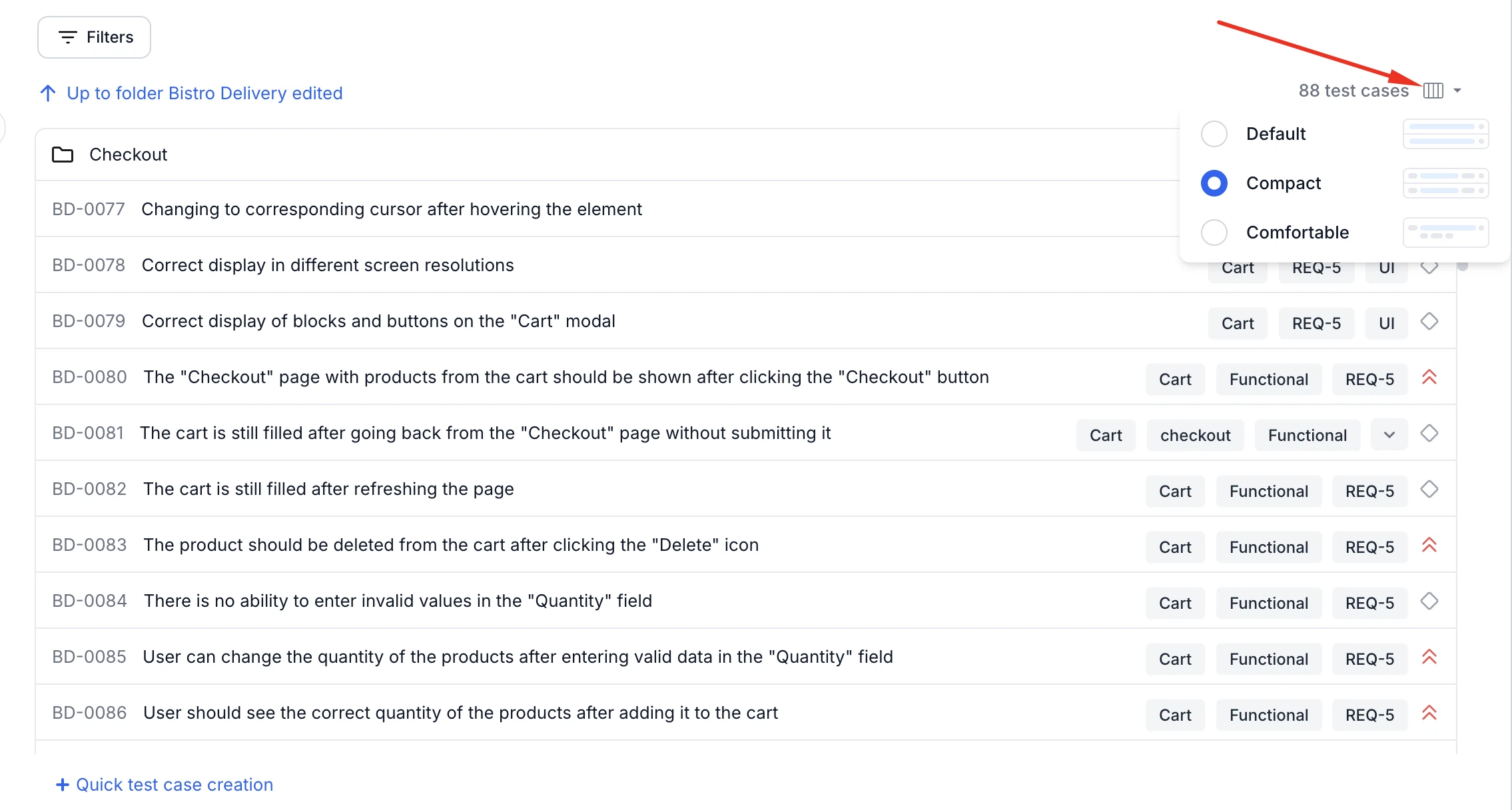
Switch Layout Density in Test Case List
You can now adjust the row density of the test case list using a new layout selector in the top-right corner. Available options include Default, Compact, and Comfortable, allowing for a more tailored viewing experience based on screen space and preference.
-
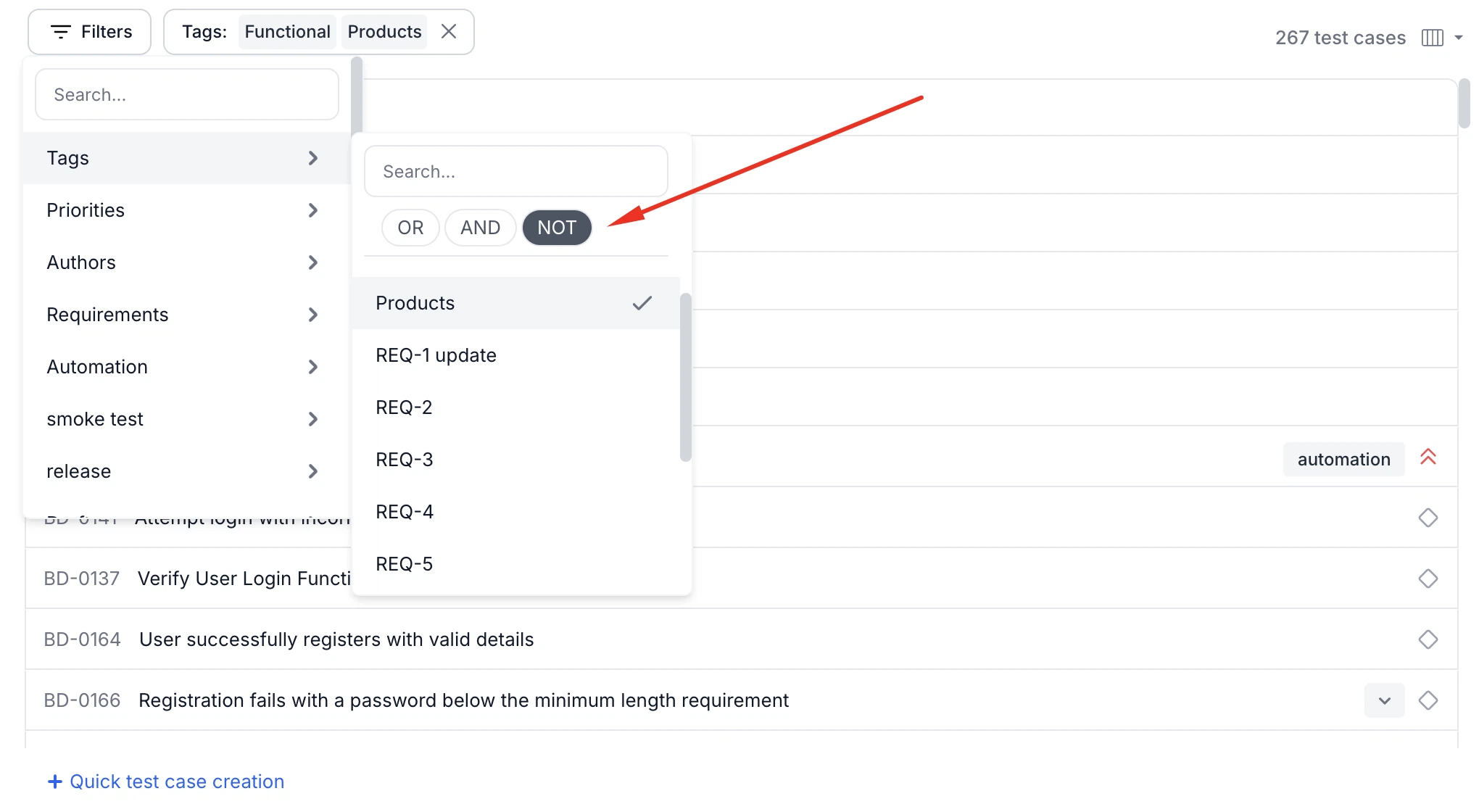
Tag Exclusion Filter (NOT)
The tags filter now supports a NOT operator that allows users to exclude test cases containing specific tags. This helps quickly narrow down the list to test cases that do not contain any of the selected tags.
-
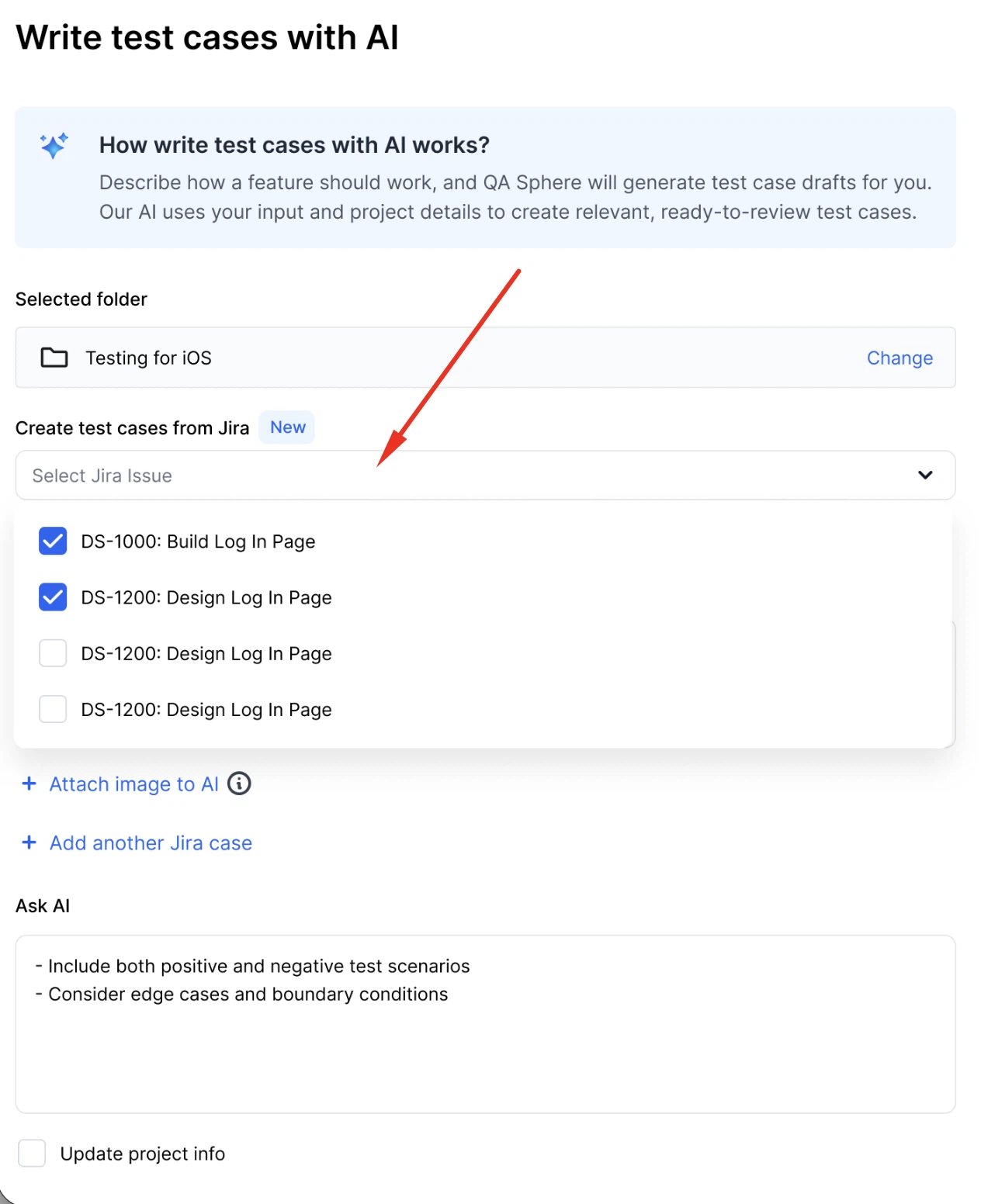
Search Jira Issues in Bulk AI Creation
You can now search and select Jira issues when using Bulk Create with AI — available when Jira integration is enabled. Selected issues are used to generate test cases linked to original tickets.
-
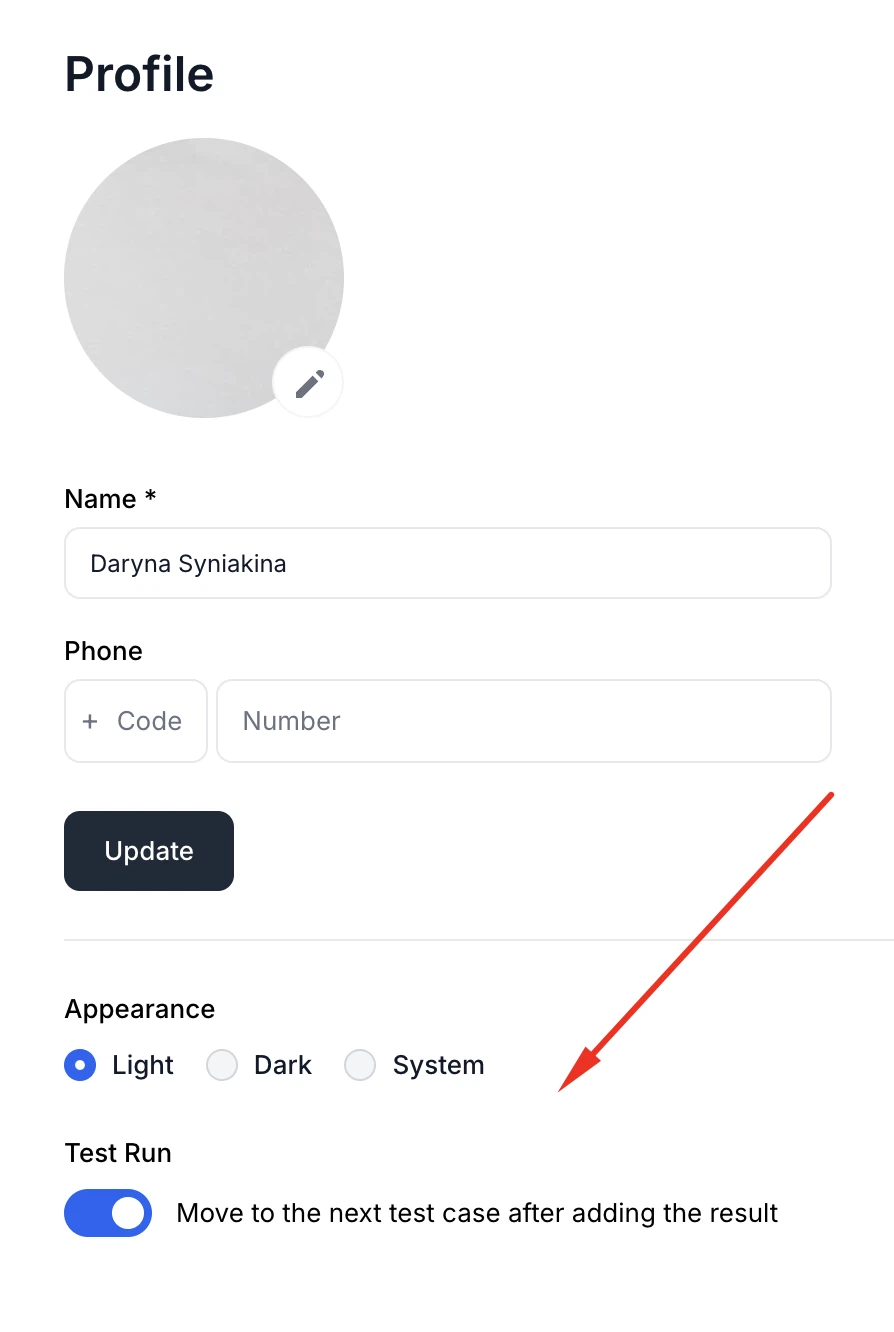
Moved Personal Settings to My Account
User preferences like appearance (Light/Dark/System) and the "Move to next test case after adding result" option are now located under My Account instead of Customization. The Customization section is now only visible to admins and workspace owners. Also, the "Profile" menu item was renamed to My Account for clarity.
-
Text Attachments Support in AI Features
You can now attach .txt, .md, and .csv files when configuring AI Rules or using Bulk Write with AI. The contents of these text files are read and used as input for AI-generated test cases.
-
Improved Jira Link Handling
We now support Jira links that use the
selectedIssuequery parameter (e.g. links copied from Kanban boards). QA Sphere correctly extracts issue keys from both standard Jira URLs and these rare formats, ensuring consistent behavior across the platform. -
Improved Range Selection on the Test Cases and Test Runs pages
Improved multi-item selection on the Test Cases and Test Runs pages — users can now click once to select the first test case and then Shift+click to select the last one in a range. There's no need to hold Shift for the first item anymore.
-
Enforce Google Sign-In
Admins on the Business plan can enforce Google Sign-In for all users in the workspace. When enabled, all users are logged out and password-based login is fully disabled — the login form hides the username and password fields.
Fixes
This release also includes dozens of targeted improvements across the app.
- Fixed tag overflow tooltip in the test case preview pane to show tag titles instead of just the tag count.
- Improved error logging for AI-generated test case saving failures.
- Trimmed leading/trailing whitespace for shared steps and shared preconditions to match normal step behavior.
- Improved error messages during bulk creation with AI to clearly indicate which test case or field caused validation failures.
We're building QA Sphere to stay fast, reliable, and modern—without the bloat.
Have questions or feedback? Drop us a note at [email protected].