QA Sphere 26W14 Release
New Features
-
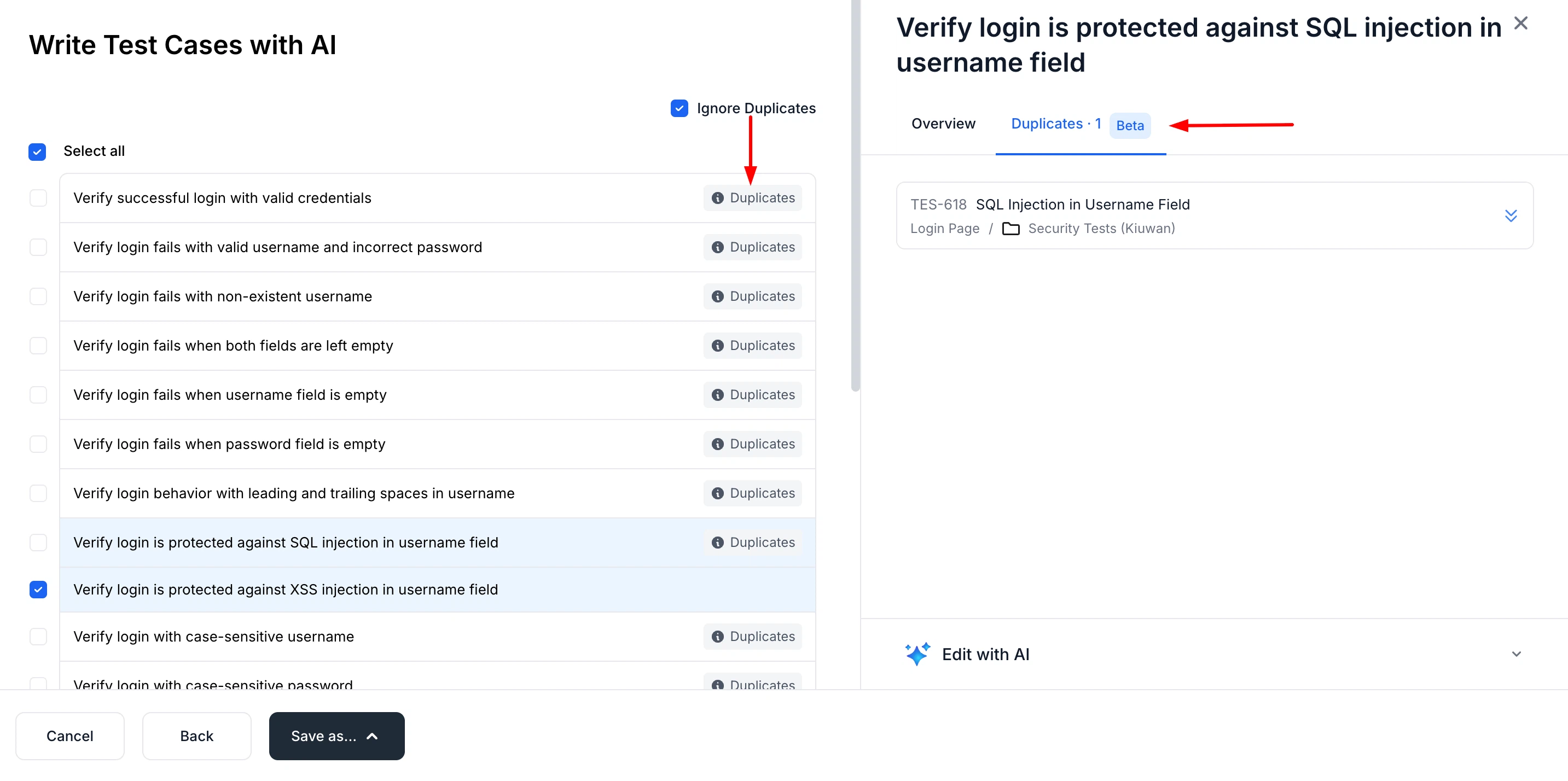
AI Duplicate Detection for Bulk Test Generation
AI now detects duplicate test cases during bulk generation and highlights them so you can review before adding.
-
Extended CLI with Full Public API Support
You can now use the QA Sphere CLI to work with projects, test cases, runs, and more via the public API.
-
Requirements Badges in Test Case List
Requirement badges now appear alongside tags in the test case list. Issue keys (e.g.,
PROJ-123) are shown as badges with full text on hover. This can be toggled in Settings > Customization. -
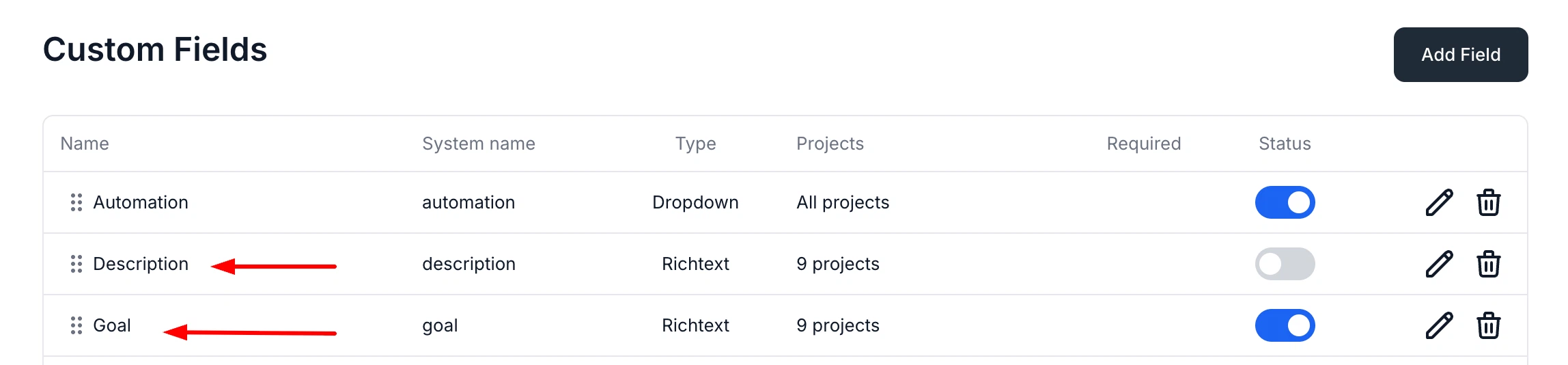
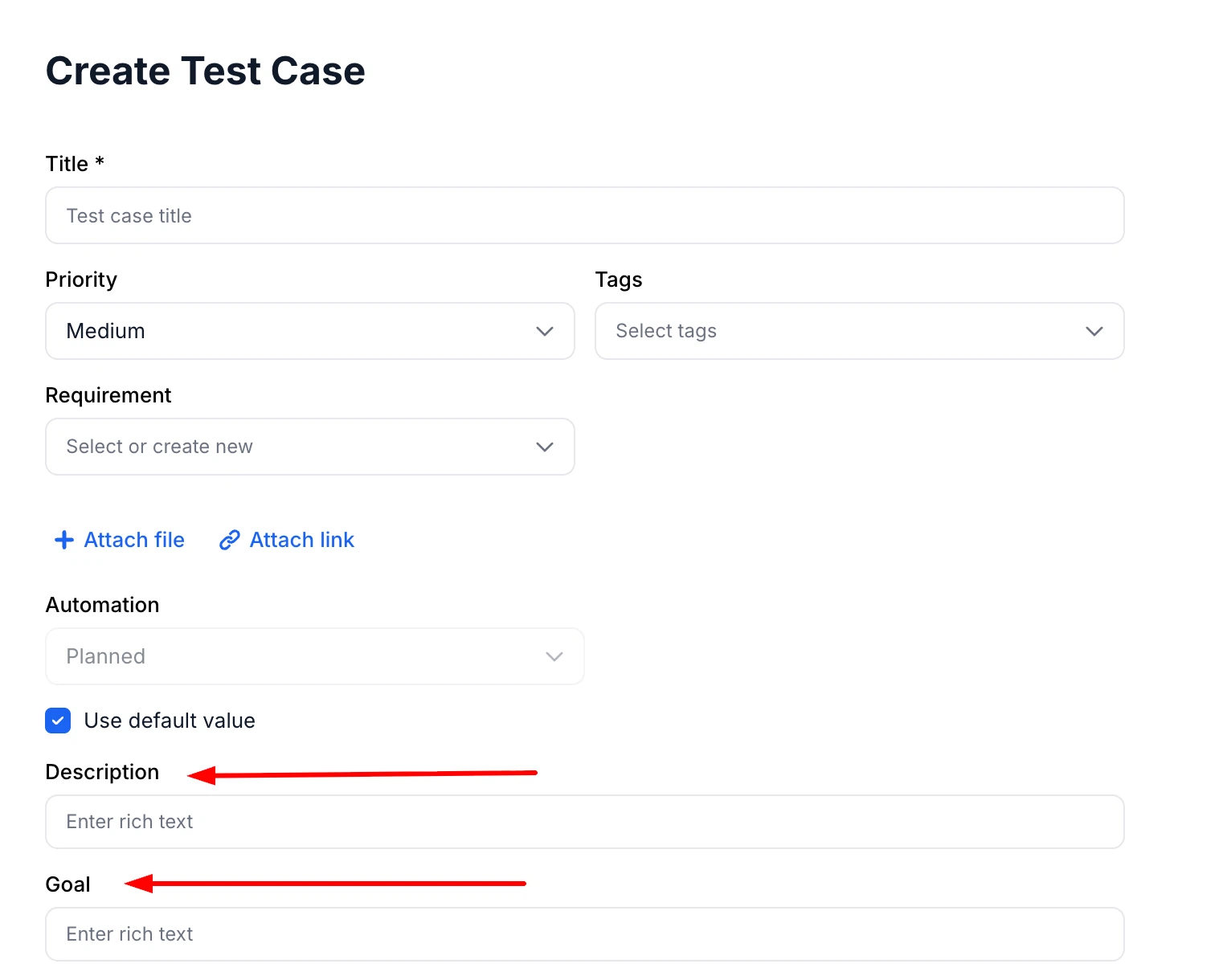
Default Custom Fields: Description & Goal for Test Cases
Added built-in Description and Goal fields for test cases, available to enable when needed.
-
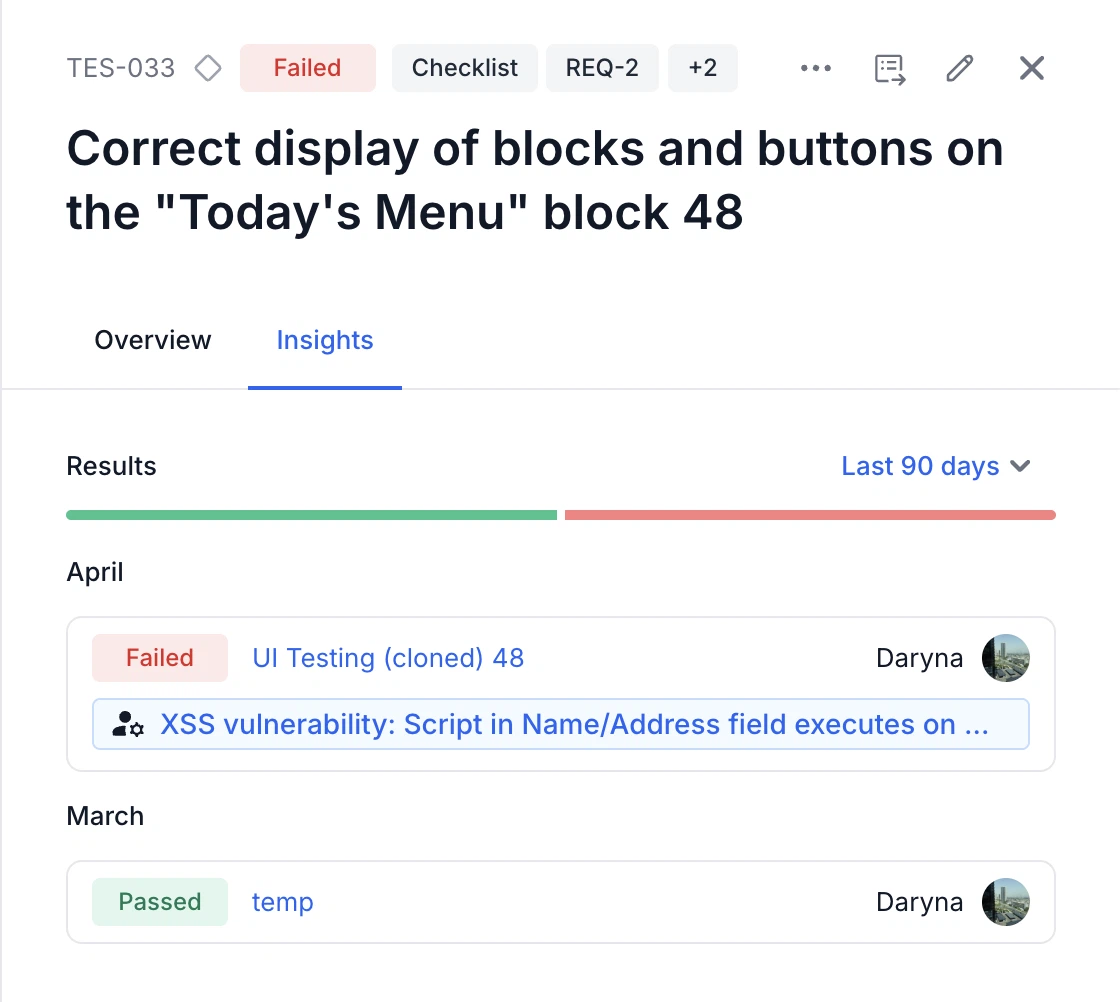
Linked Bugs in Test Case Insights
Test case insights now include linked bugs for better visibility and context.
-
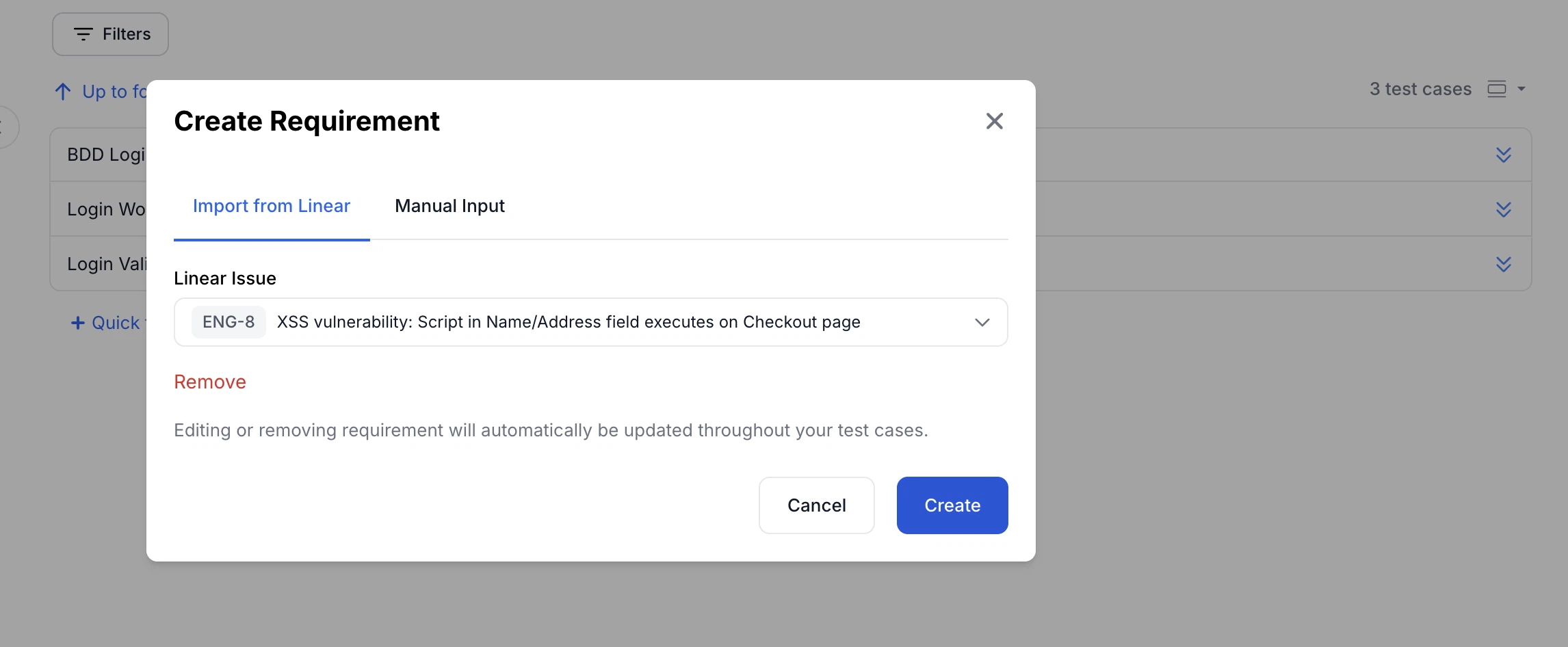
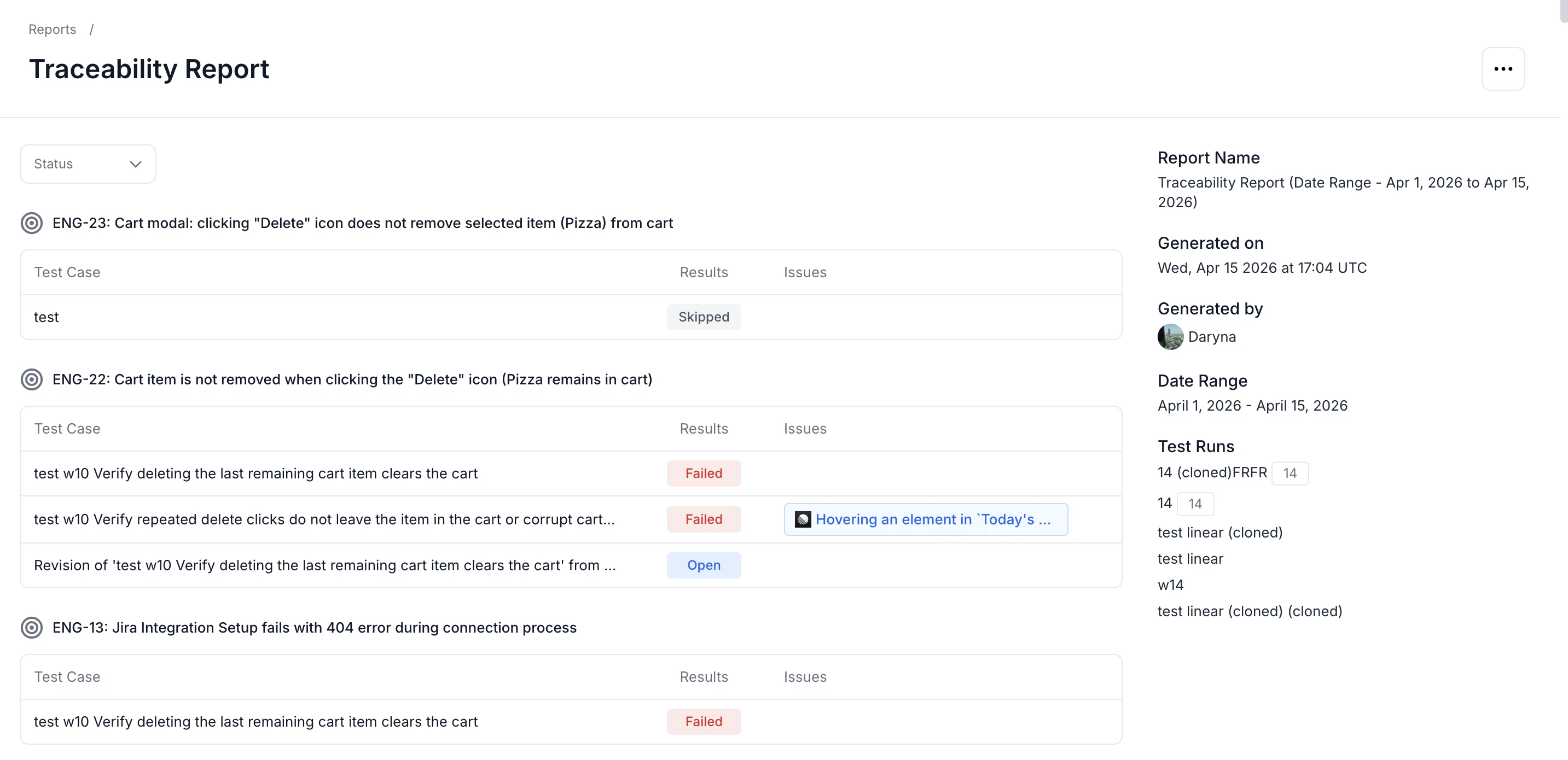
Linear Integration for Requirements & Traceability
Easily connect Linear requirements to test cases and track coverage with built-in traceability reports.
-
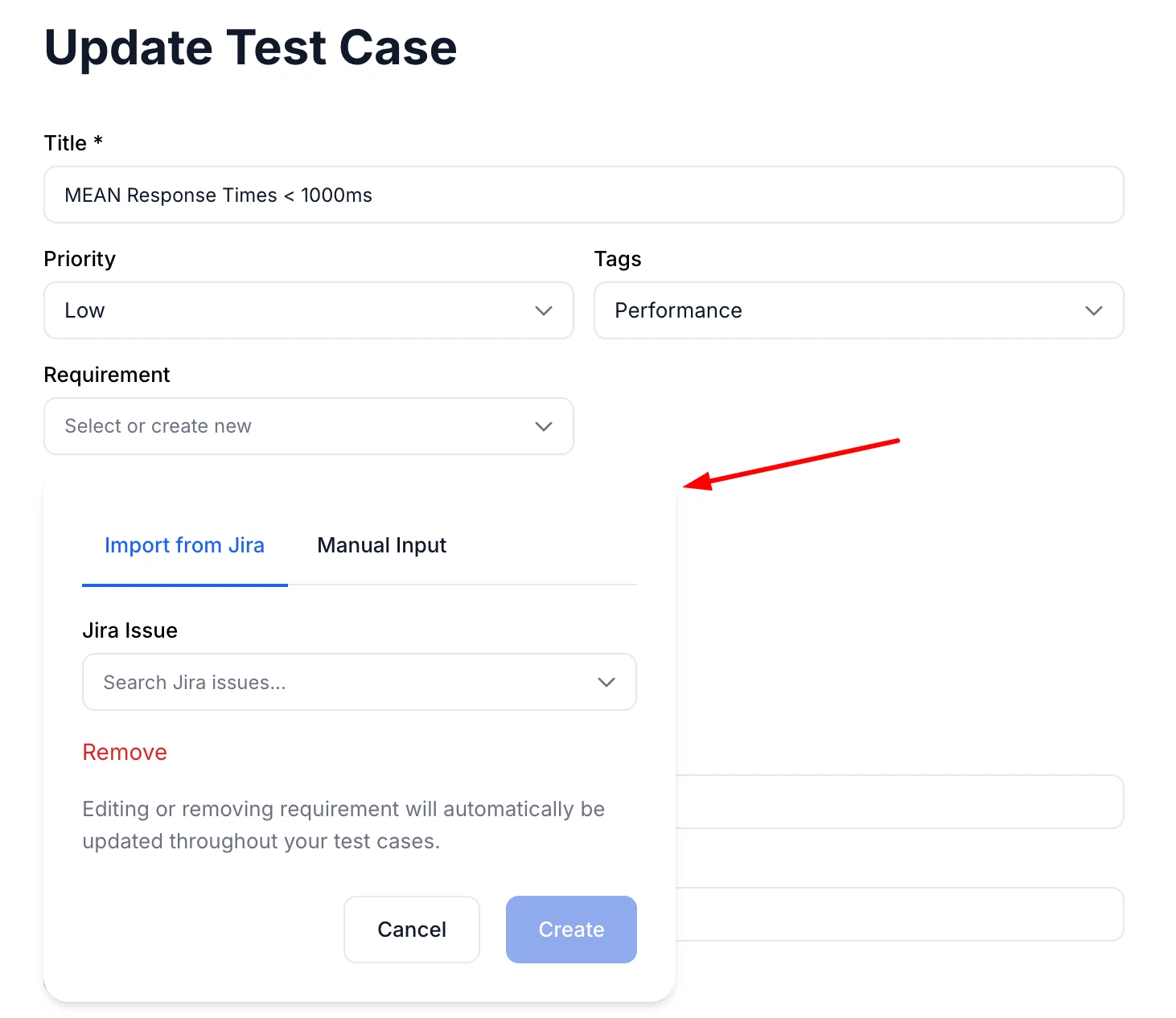
Improved Visibility for Jira Import
The "Import from Jira" option is now always visible in the Edit Requirements modal for better usability.
-
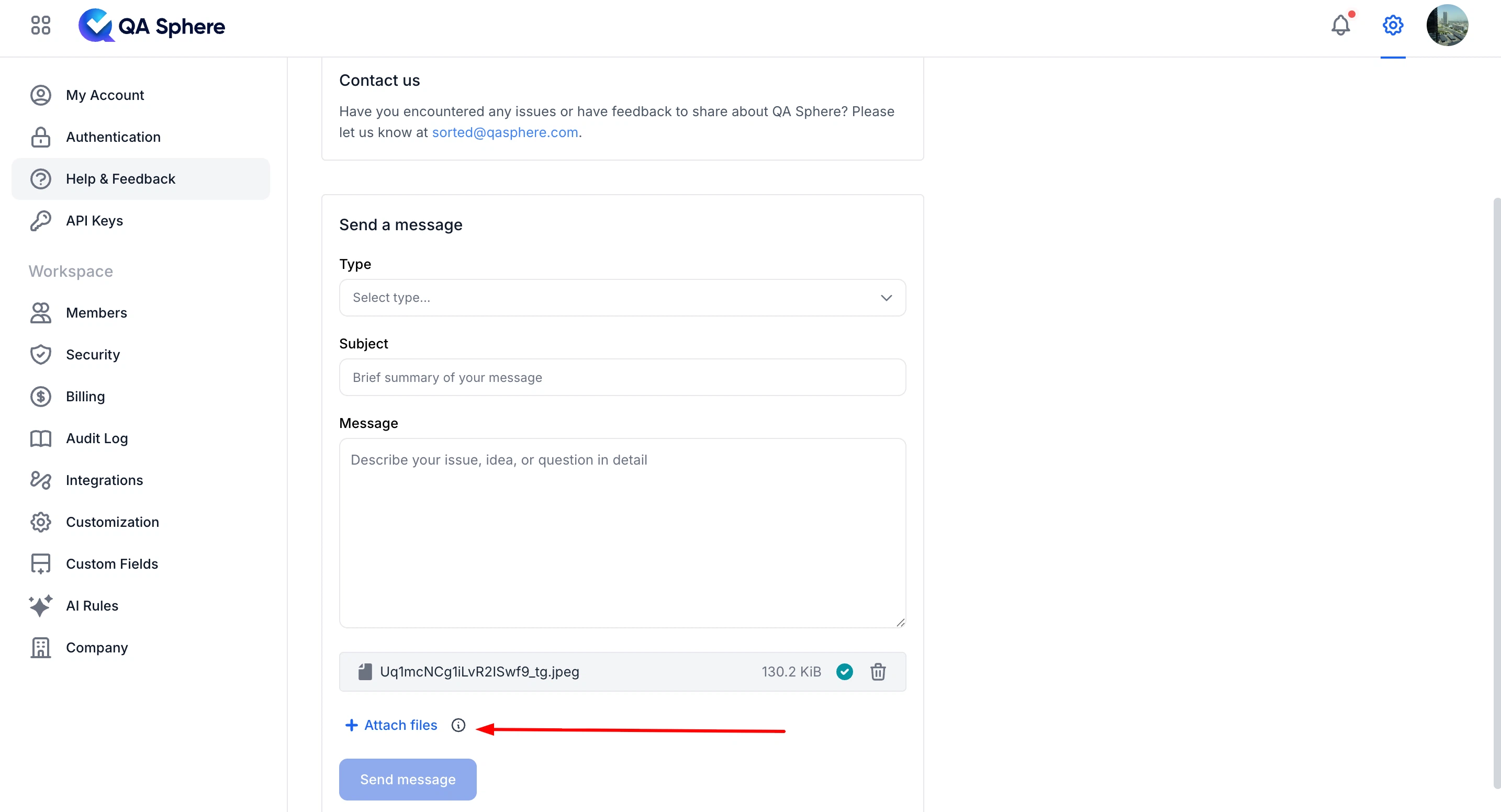
Attach Files in Help & Feedback
You can now include file attachments when submitting Help & Feedback requests.
-
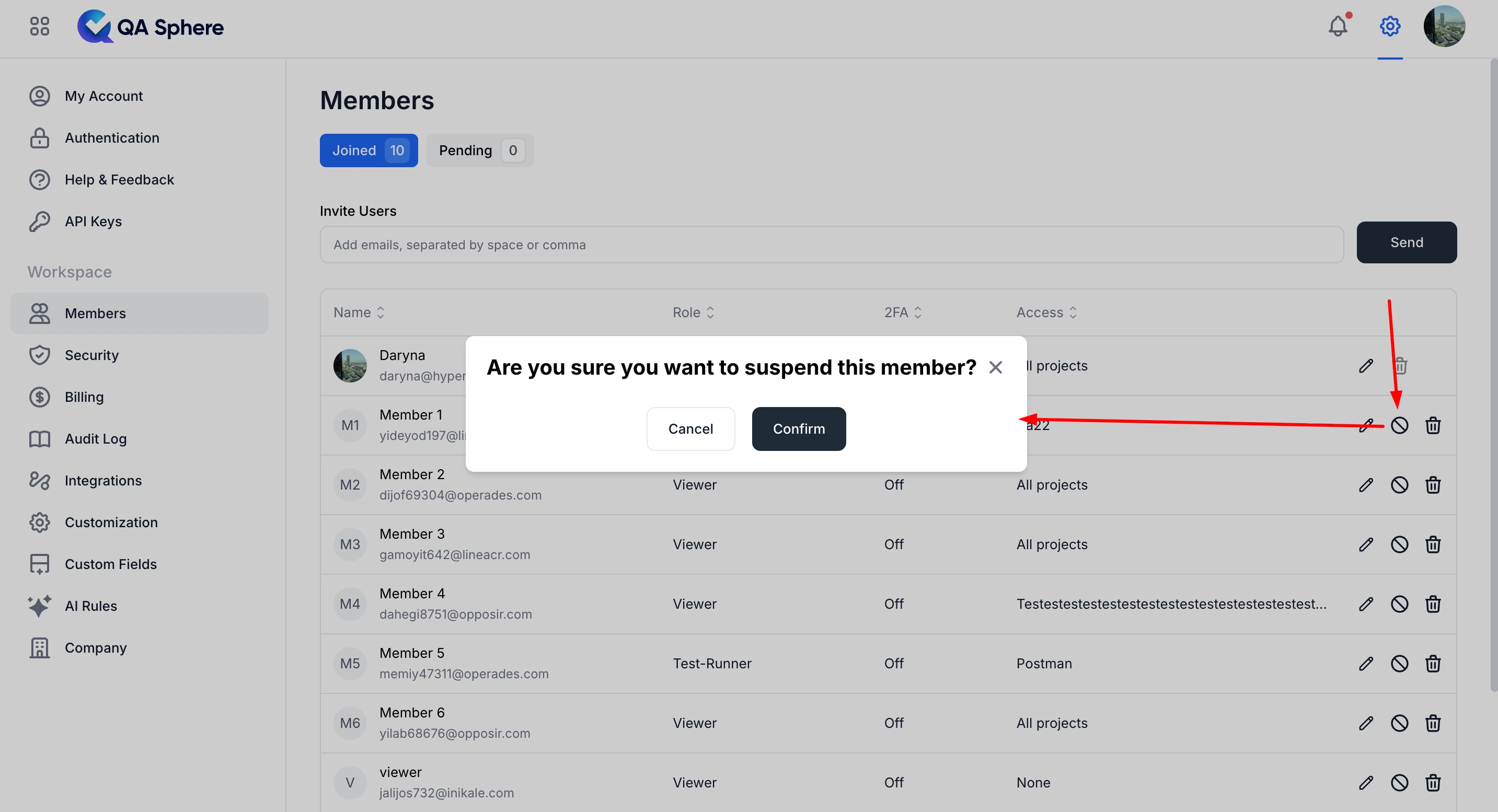
Suspend and Restore User Access
Admins can now suspend and unsuspend users, preventing access without deleting.
-
Navigation Confirmation in Bulk AI Generation
A confirmation dialog now appears when navigating away from the bulk AI generation page, helping prevent accidental loss of in-progress work.
Fixes
This release also includes dozens of targeted improvements across the app.
- Fixed CSV import validation so default true is ignored for non-default custom fields
- Fixed test case creation failures with checkbox fields
- Fixed tag label dark mode styling in the search modal
- Fixed "navigation aborted" on undo after deleting a selected test case
- Fixed sidebar resize range by widening it to 100–700px for more flexible layout control
We're building QA Sphere to stay fast, reliable, and modern—without the bloat. Have questions or feedback? Drop us a note at [email protected].