QA Sphere 26W06 Release
This release brings major usability improvements to Test Runs and test case management, new import sources, enhanced billing and authentication controls, and a public Audit Logs API.
New Features
-
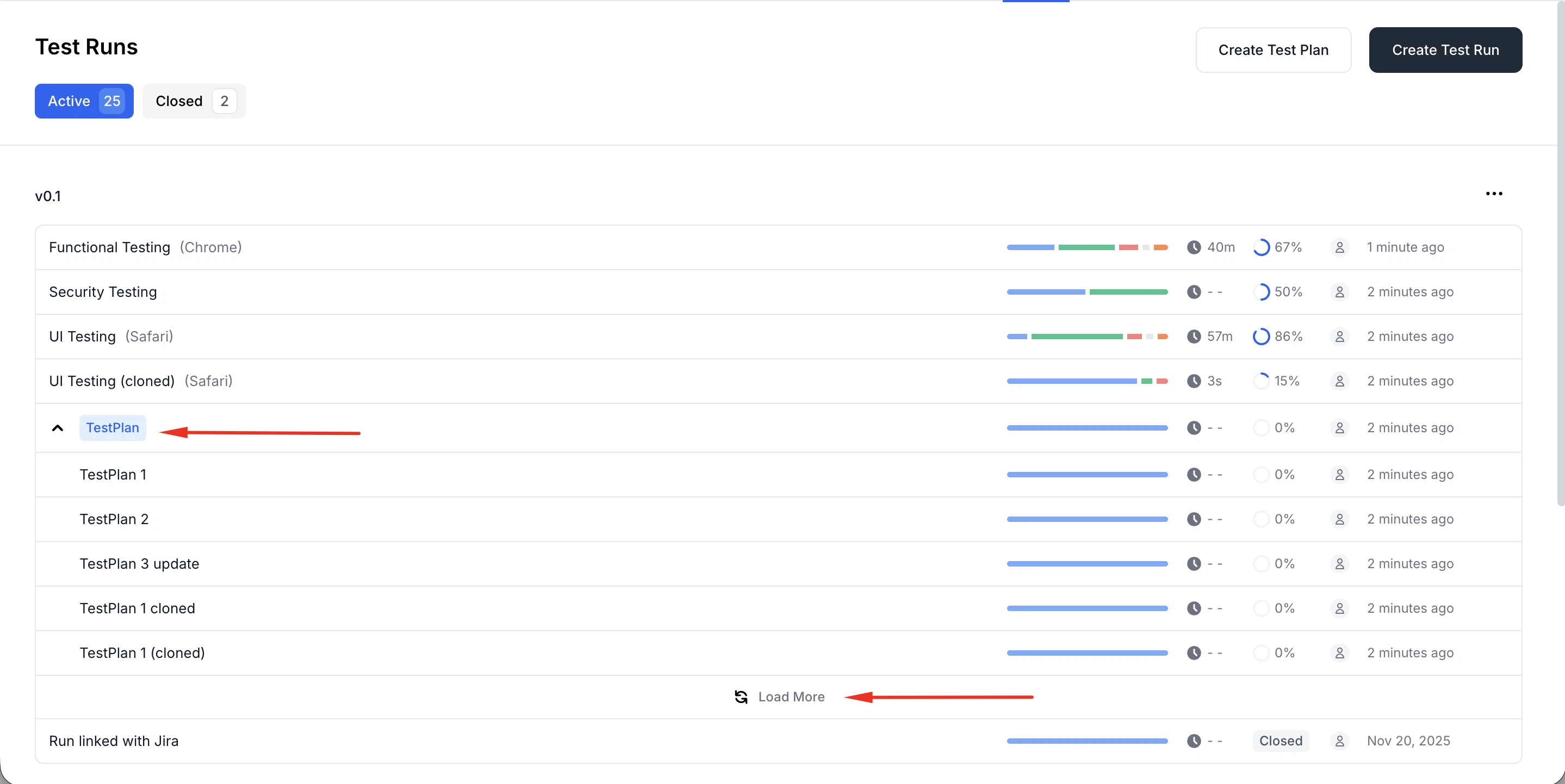
Improved usability and visual design of Test Runs
Added pagination with a "Load more" flow (10 items loaded by default) to avoid loading all Test Runs at once. The layout has been made more compact, Test Plan names are now visually highlighted.
-
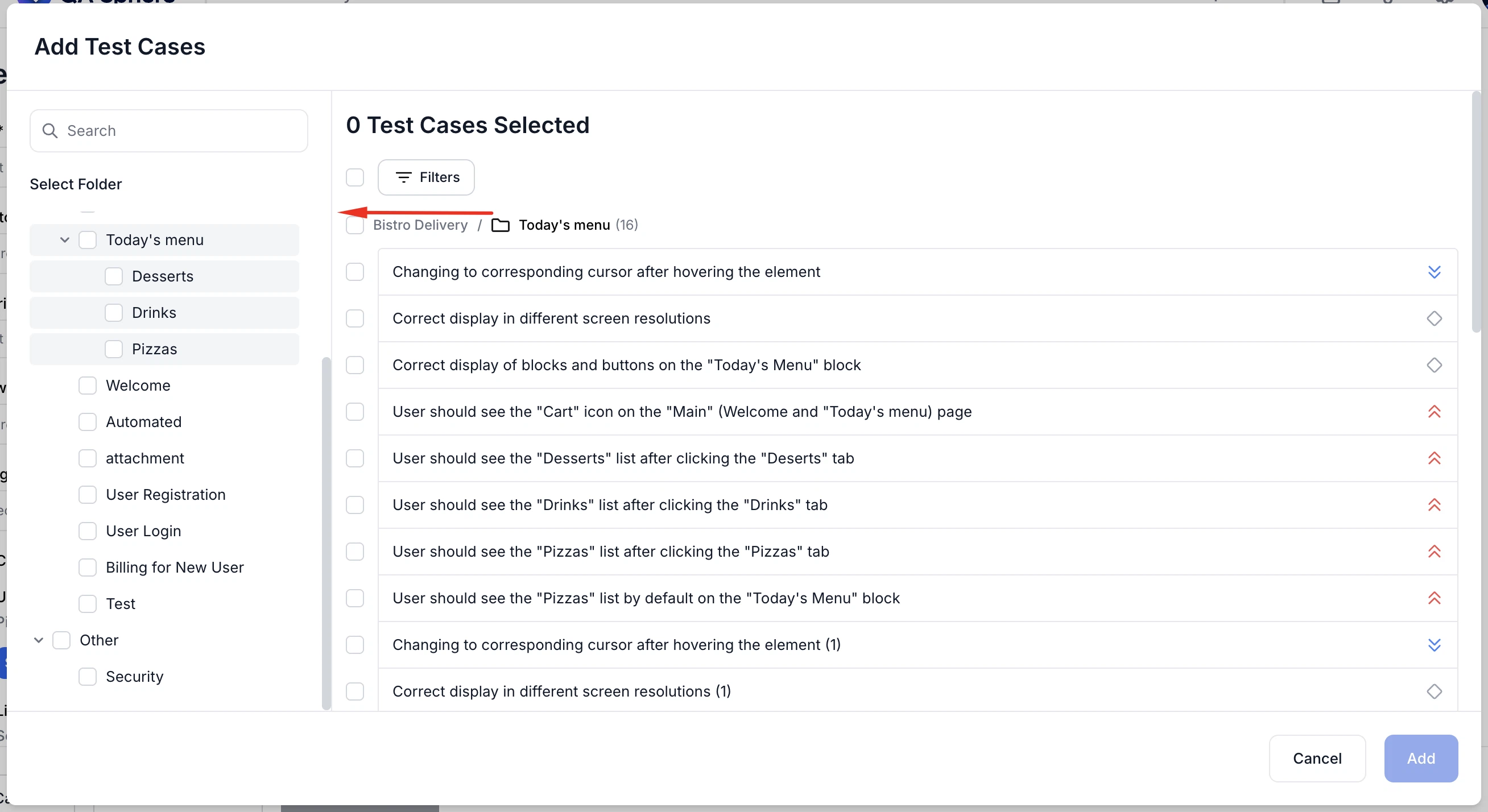
Improved "Add test cases to test run" dialog
Now you can resize the sidebar in the "Add test cases to test run" dialog, search for test cases, and work with a larger modal layout for better visibility.
-
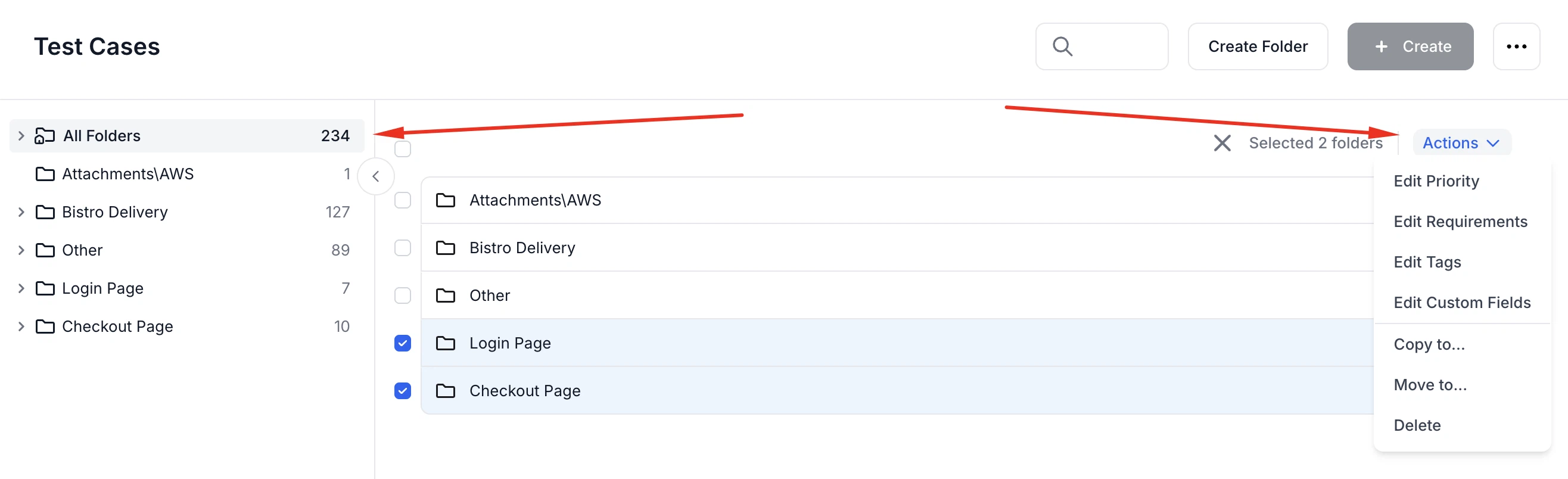
Improved folder tree navigation and bulk operations
Now you can use the new "All Folders" root item to quickly return to the full test case list. You can also select one or more folders and apply bulk property updates to all test cases within them.
-
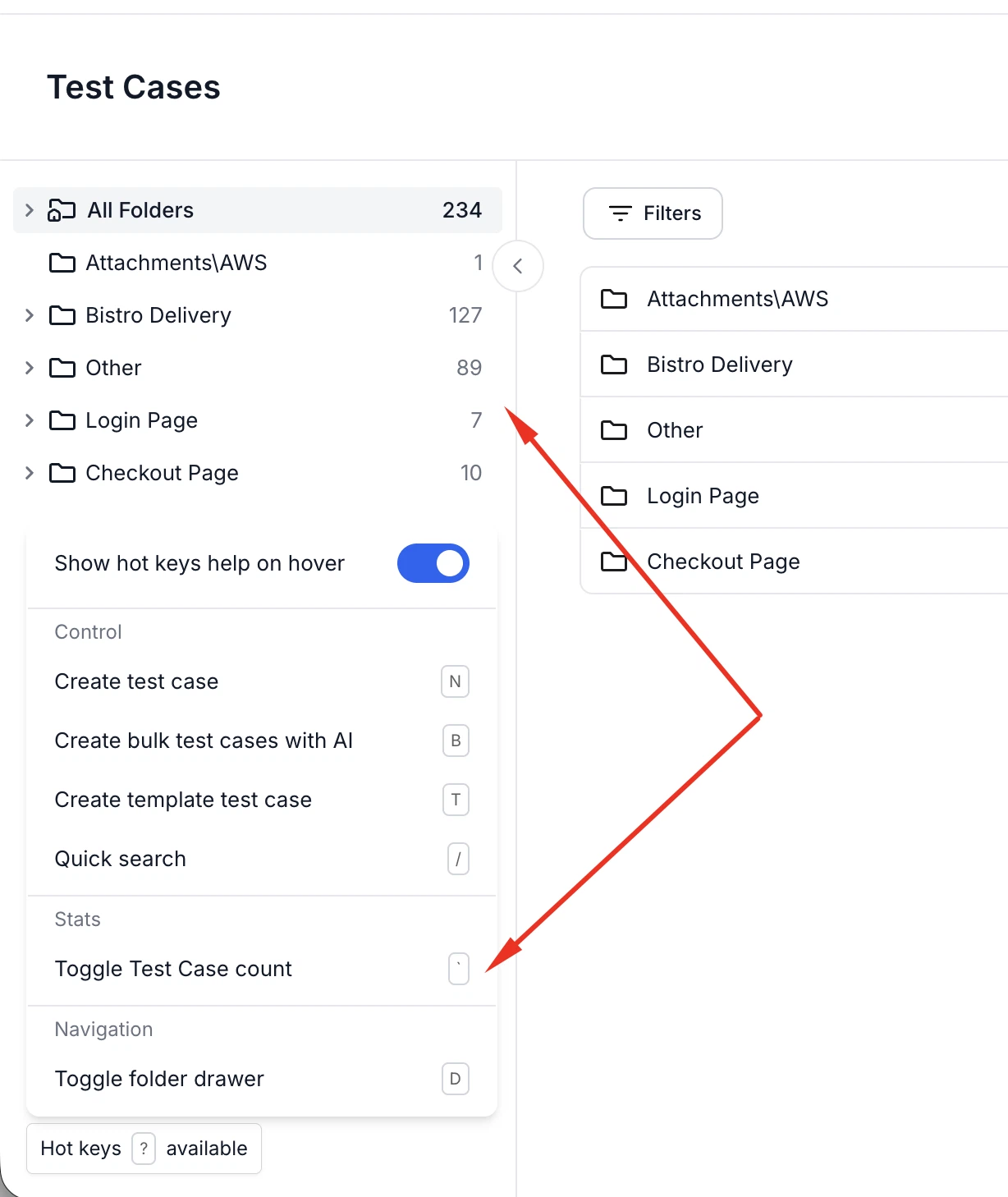
Add test case counters for all folders
Now you can toggle and view the number of test cases in every folder (not only the selected one). The counters can be enabled via hotkeys and are automatically hidden when leaving the page.
-
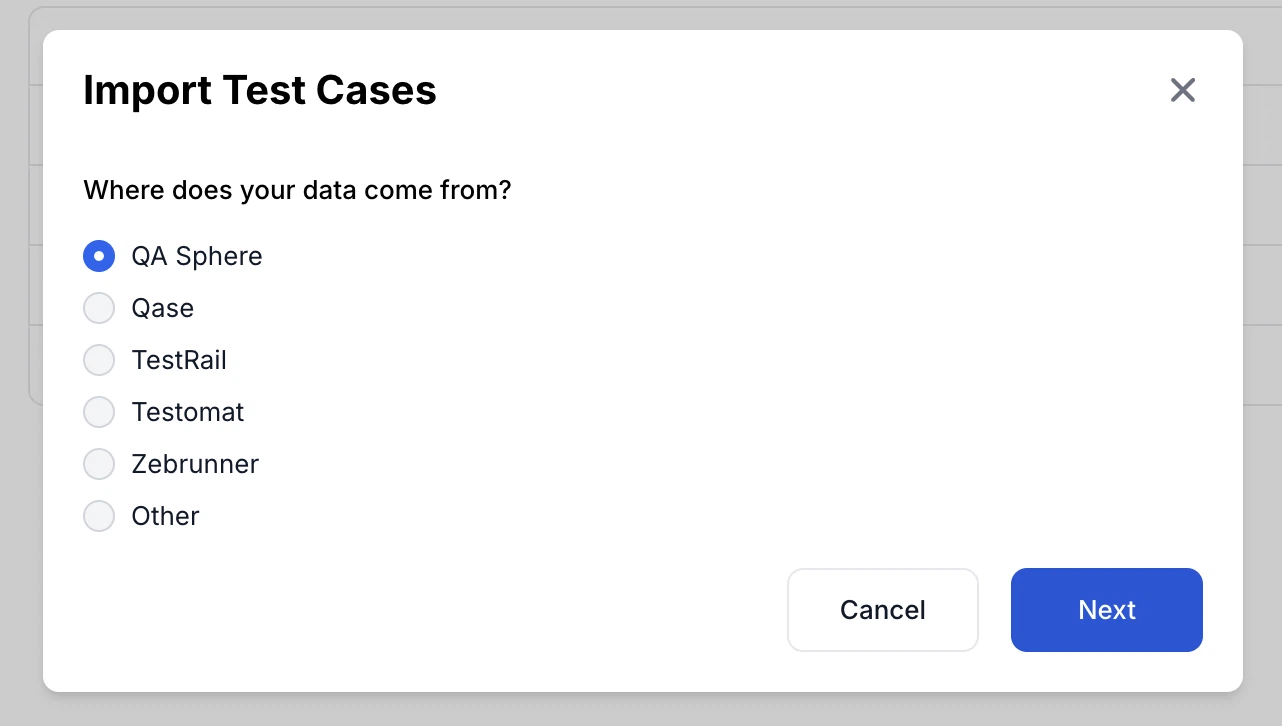
Import from Qase, Testomat, and Zebrunner
Now you can import test cases from Qase, Testomat and Zebrunner. CSV import also supports a "folder comment" column to set folder comments during import.
-
Improved Expected Result label detection in test steps
Now the "Expected Result" label is automatically shown for steps containing images, line breaks, or multiple paragraphs—improving readability for more complex step formatting.
-
Trial subscription updates
Now you can modify subscription settings (e.g., user count) while on a trial plan.
-
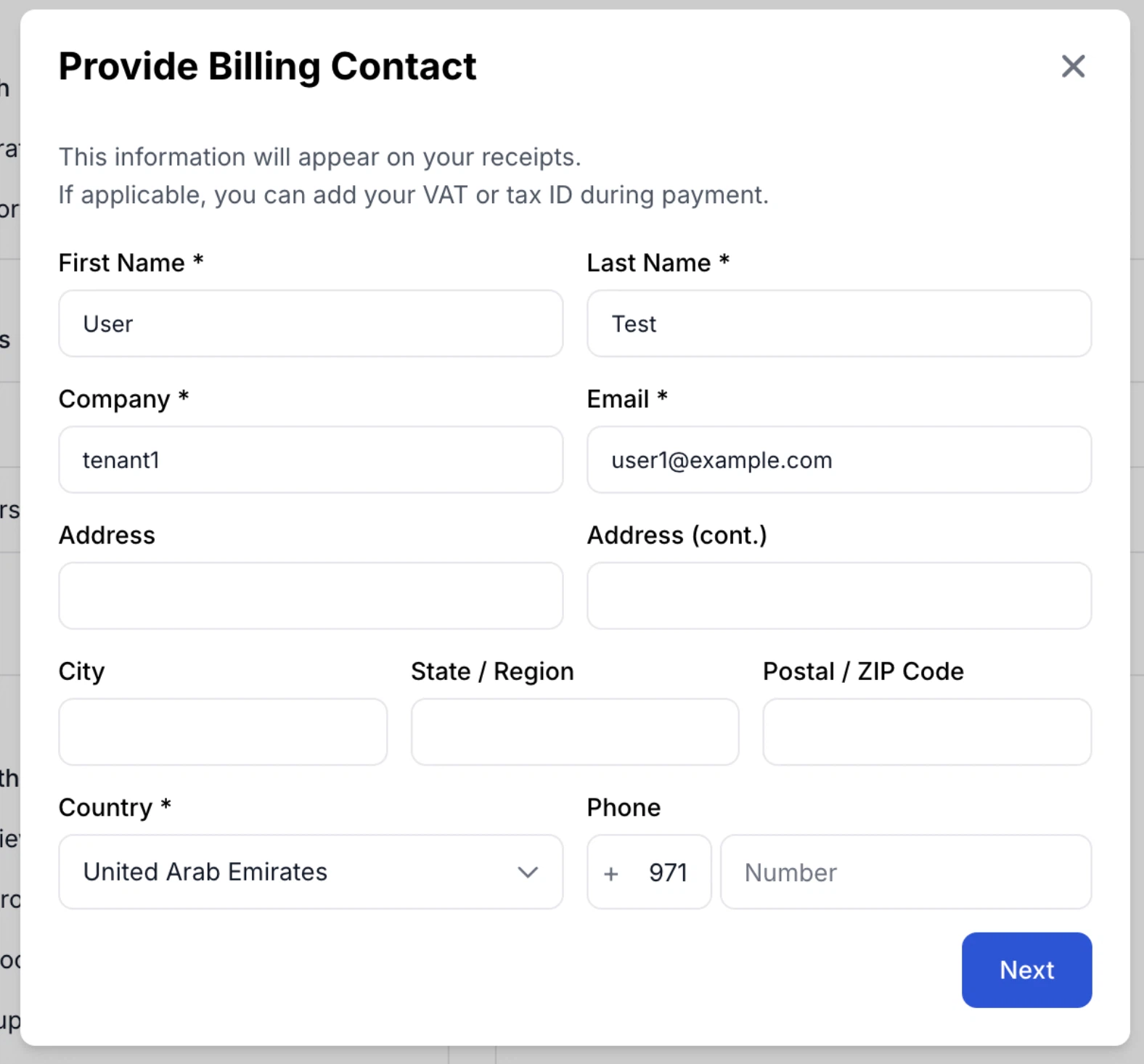
Improved Billing UI
You can now add your full billing address directly in the billing contact form. The phone field automatically detects and pre-fills the country code for a smoother checkout experience.
-
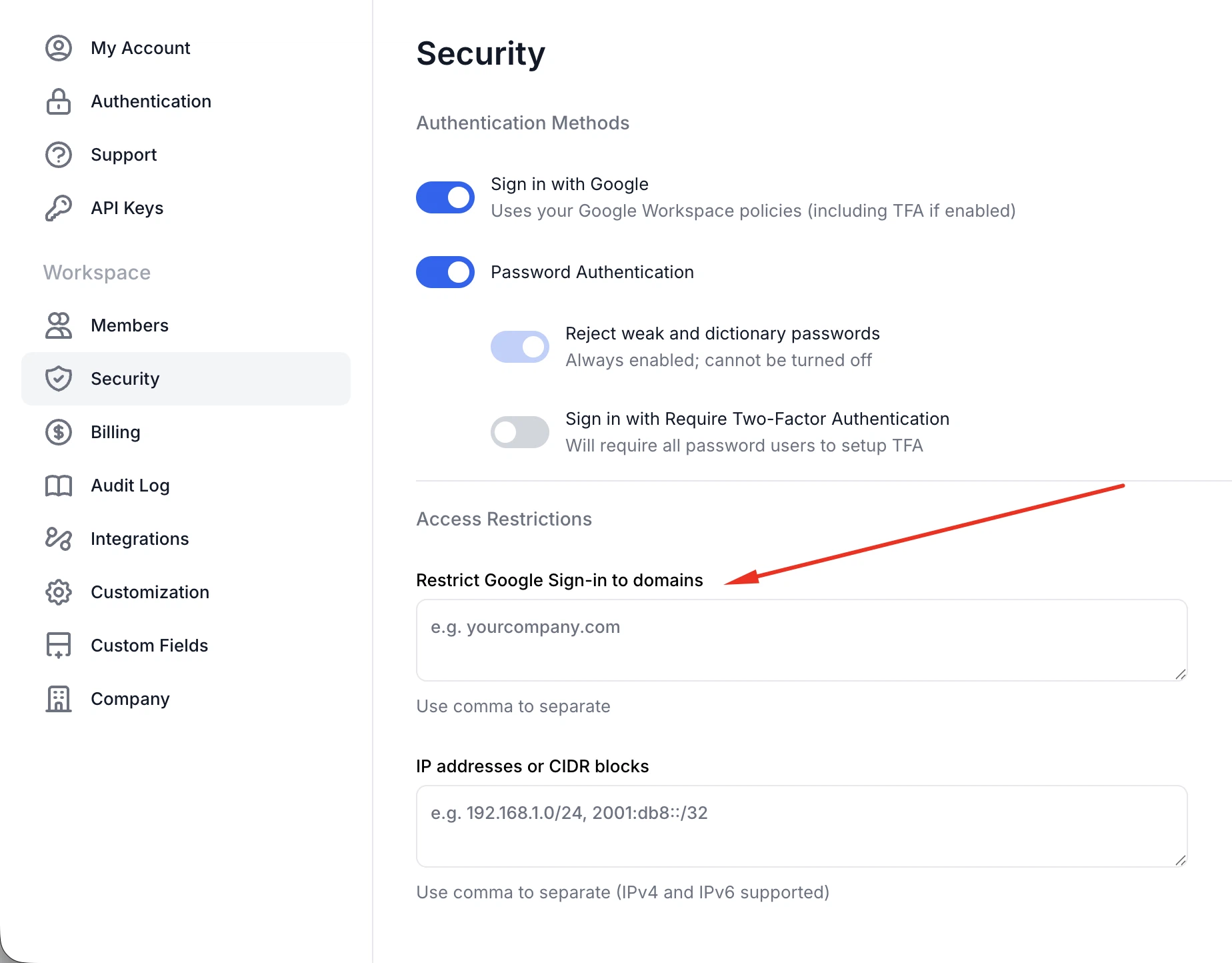
Google Sign-In domain restrictions
Now you can limit Google Sign-In to approved email domains using a configurable allowlist.
-
Public Audit Logs API with dedicated SIEM access keys
Now you can access audit logs via a public API and create API keys specifically limited to the audit logs endpoint. If an API key name starts with SIEM-LOG-ONLY, it will only work for the audit logs endpoint.
Fixes
This release also includes dozens of targeted improvements across the app.
- Fixed Jira required fields not loading correctly when opening the modal
- Fixed visual indication for inactive "Auth methods" on the Security page
- Fixed typo in the "Bulk write with AI" page banner title
- Fixed Create/Edit test case UI where "Update shared step" became unavailable after undoing a shared step update, allowing subsequent updates as expected
We're building QA Sphere to stay fast, reliable, and modern—without the bloat. Have questions or feedback? Drop us a note at [email protected].