QA Sphere 26W10 Release
New Features
-
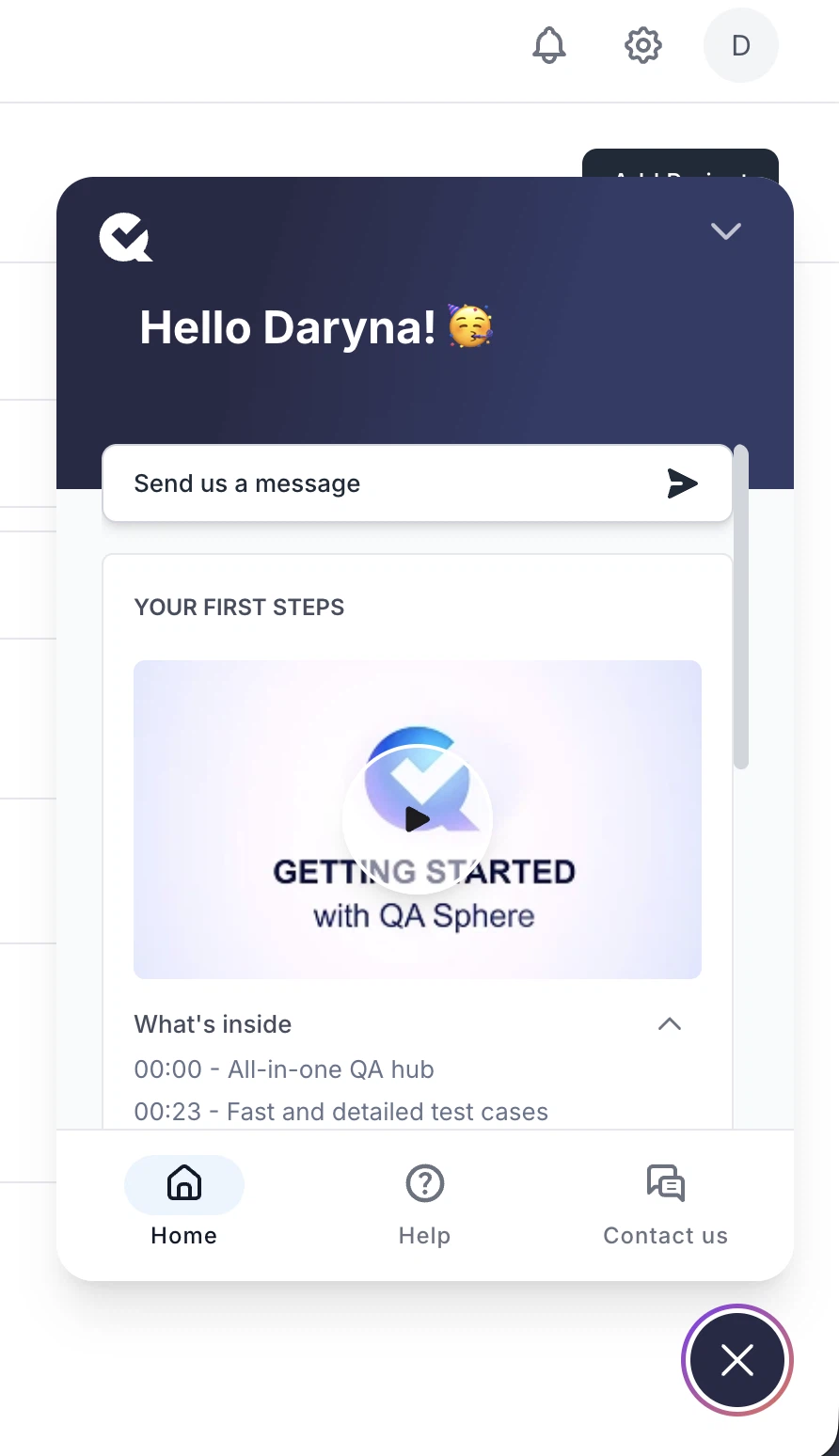
Main page onboarding widget
New users now see an onboarding widget on the main page with guided videos, helpful links, and a contact form to quickly learn the product and get support.
-
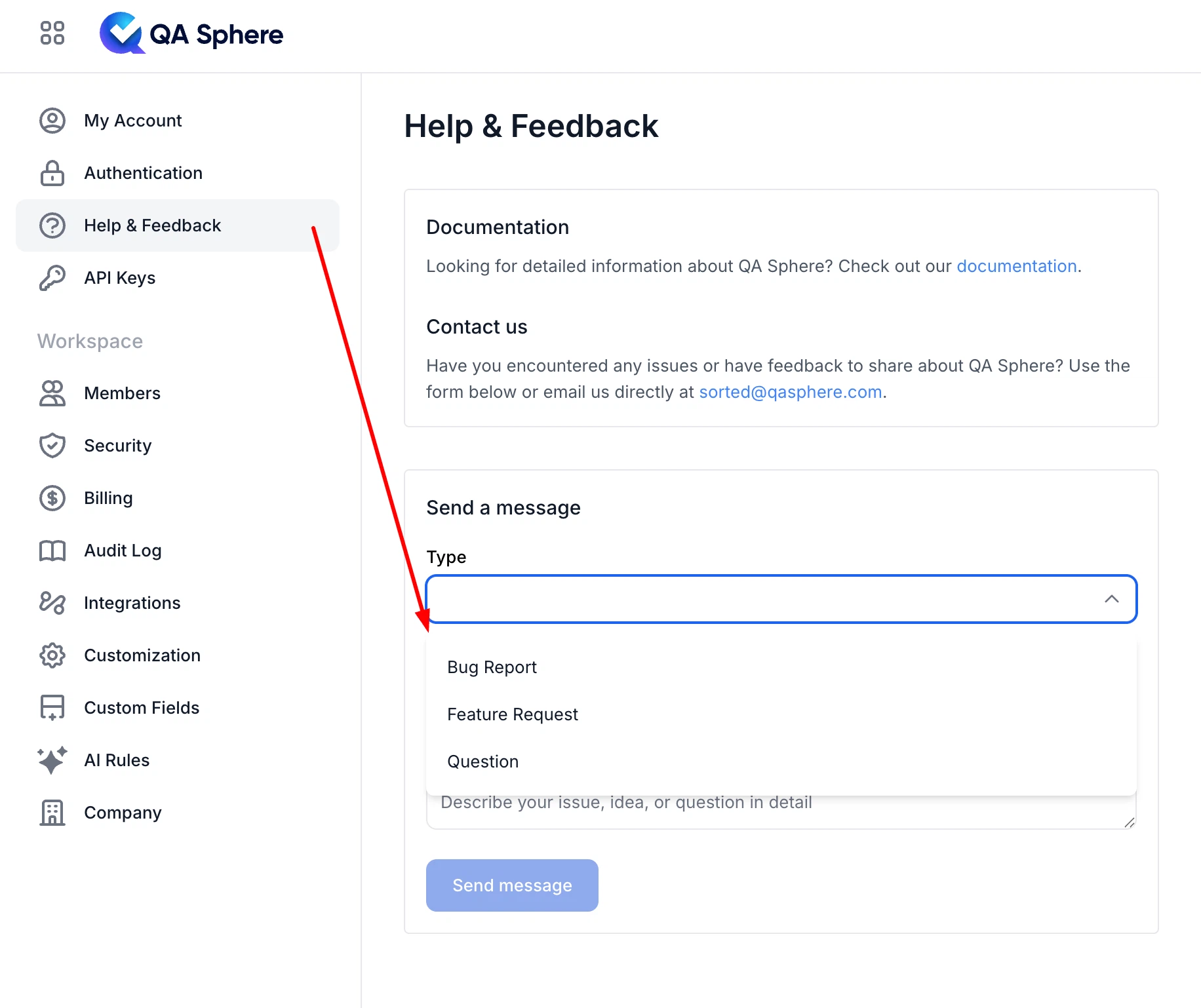
New Help & Feedback page
The Support section has been renamed to Help & Feedback and now includes a built-in form to submit bug reports, feature requests, and questions directly from the app.
-
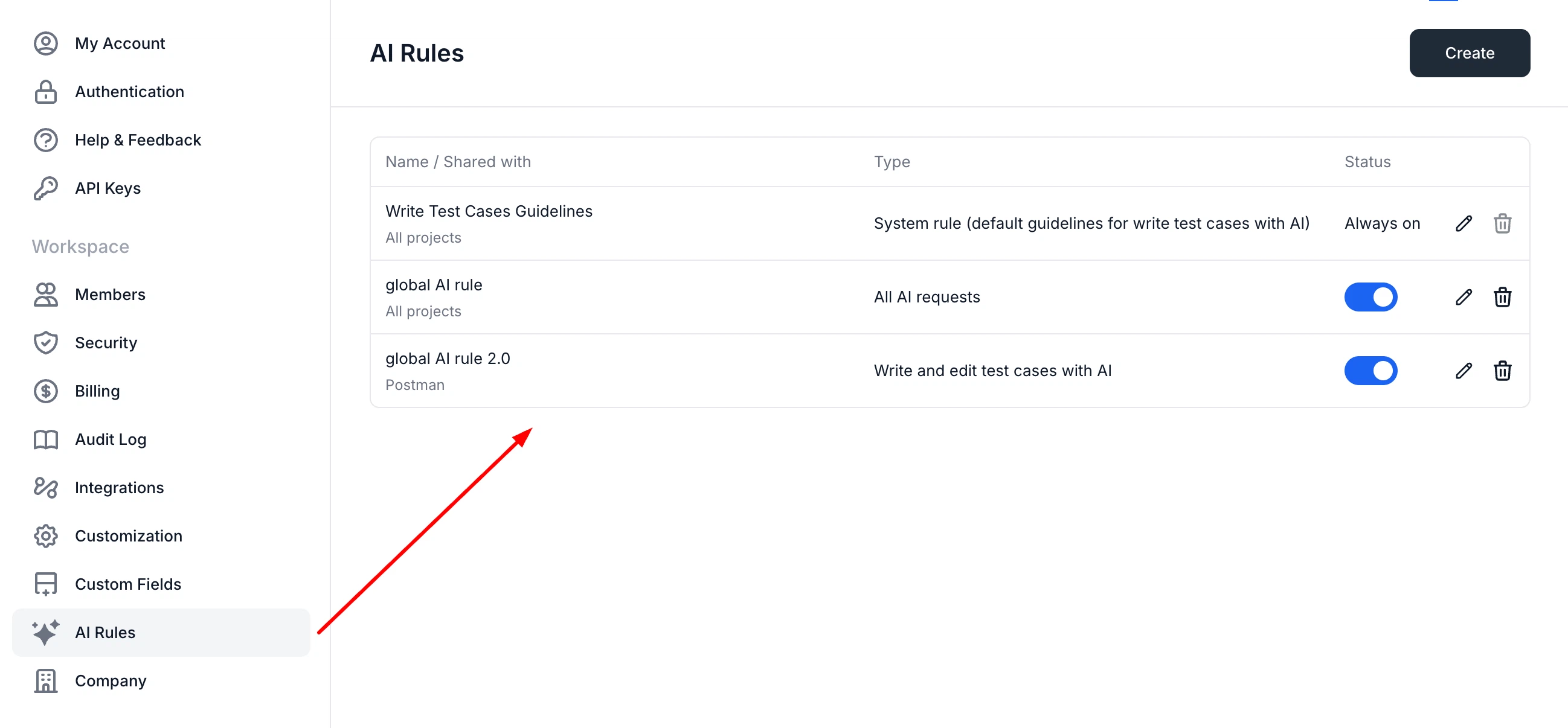
Global AI rules
Now you can create global AI rules and apply them across multiple projects or all projects. You can manage them in Workspace Settings.
-
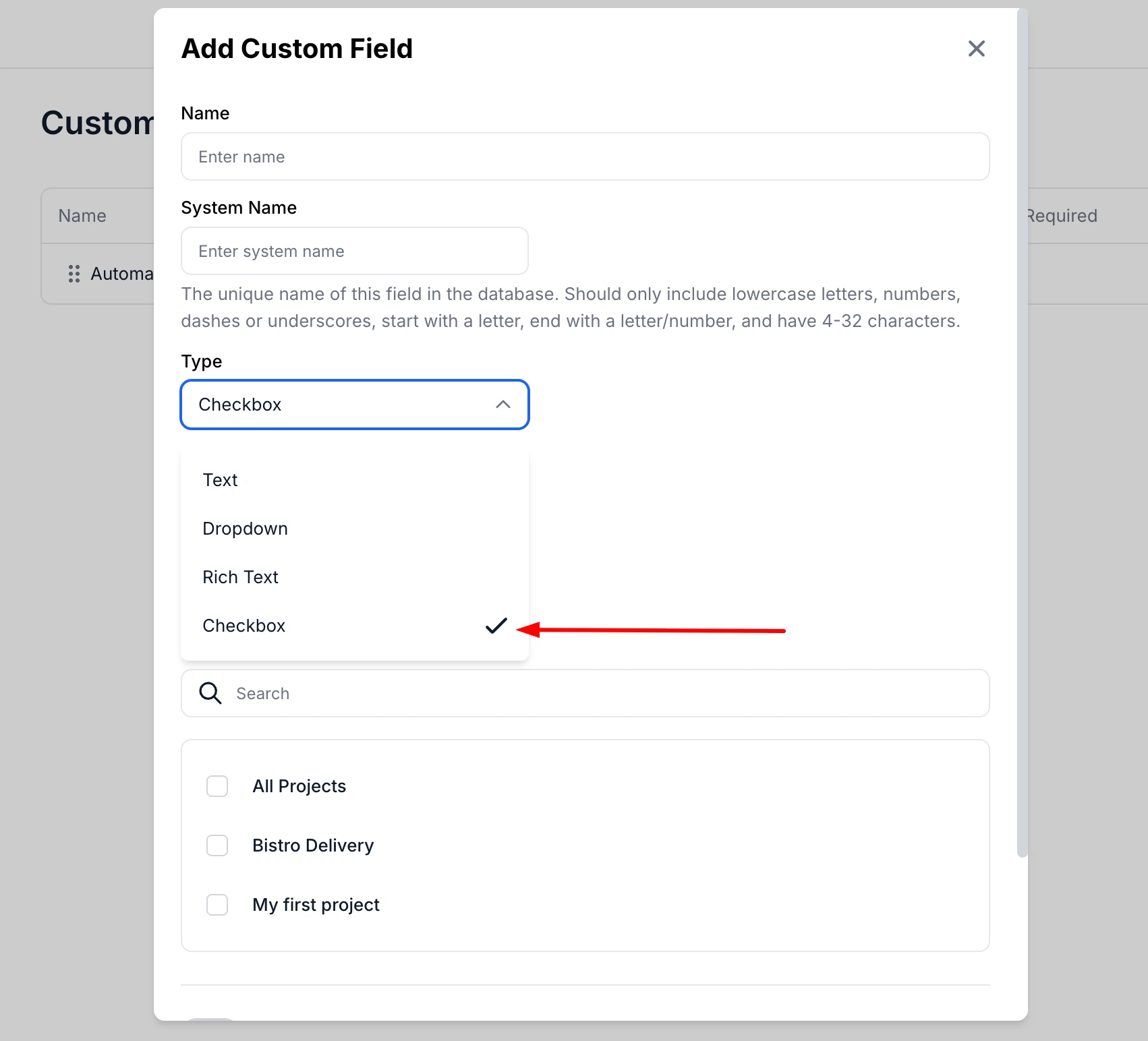
Checkbox custom field for test cases
Now you can create Checkbox-type custom fields for test cases. This field behaves similarly to a dropdown but allows simple true/false or limited option selection with checkbox-style interaction.
-
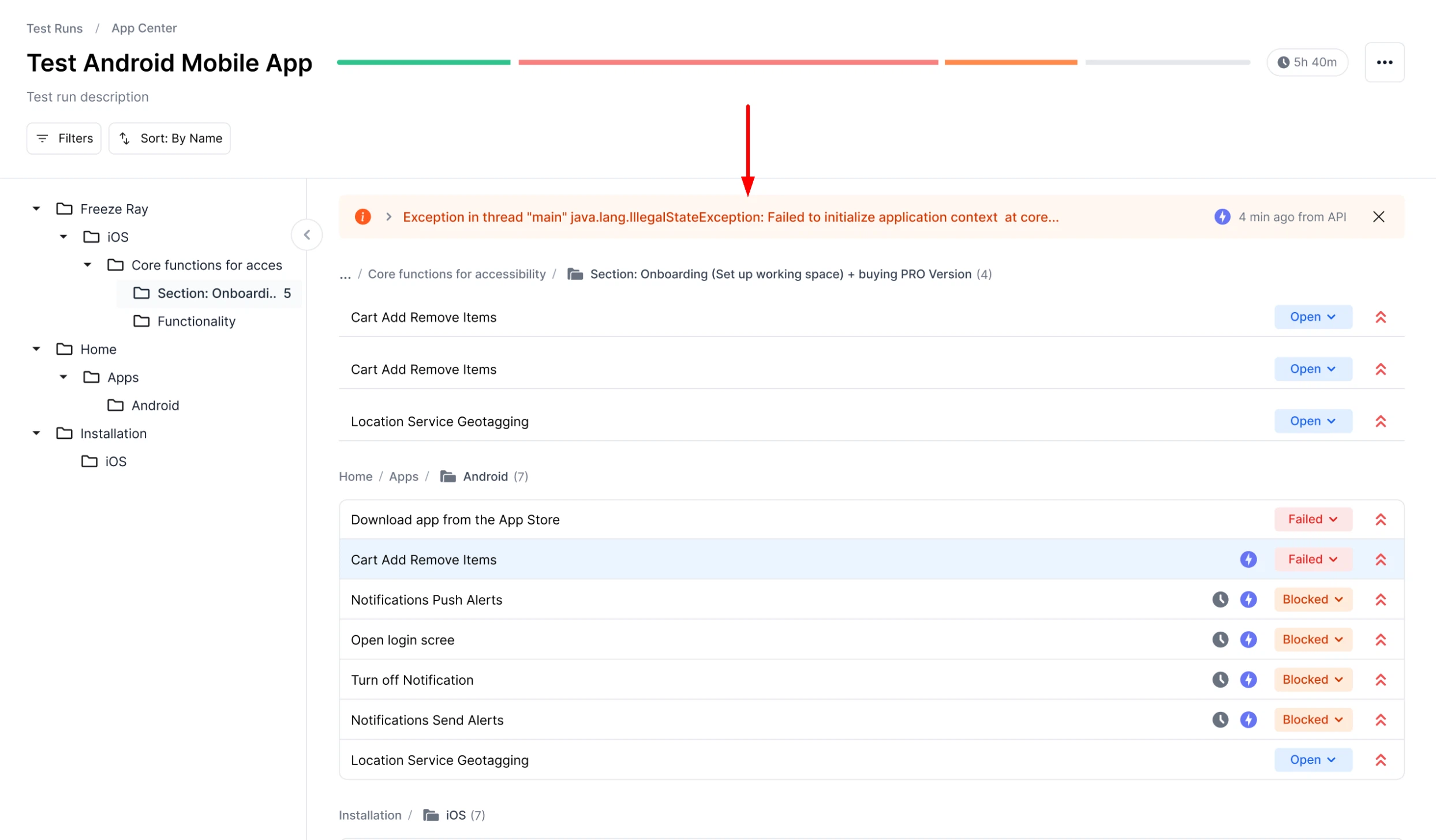
Run logs on Test Run page
The Test Run page now shows automation logs in an info block above test cases, allowing you to expand, collapse, and view full details.
-
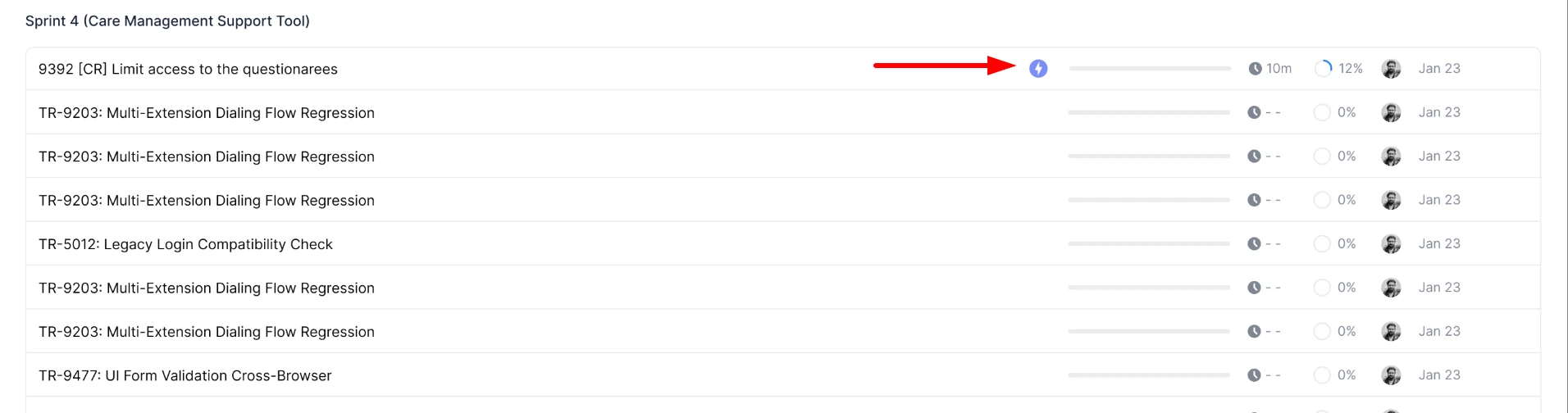
Automation icon for API test runs
Test runs created via the public API are now marked with a special automation icon in the Test Runs list.
-
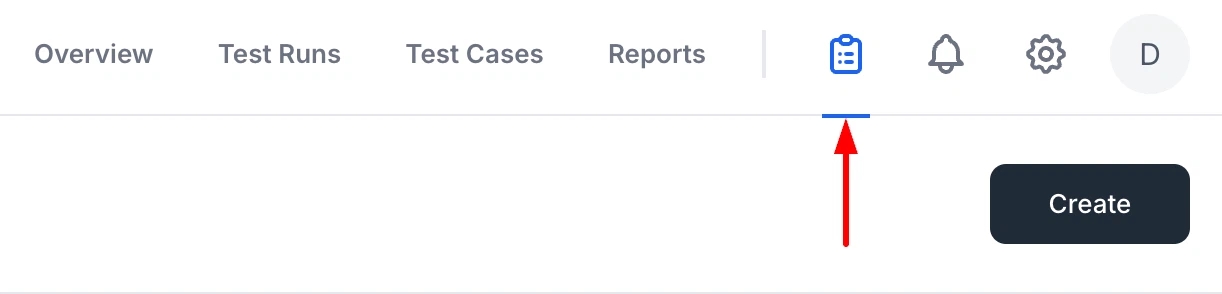
Updated Resources navigation
Navigation to the Resources page has been separated from Workspace Settings. The Gear icon now opens Workspace Settings, while a new project-level icon provides direct access to Resources.
-
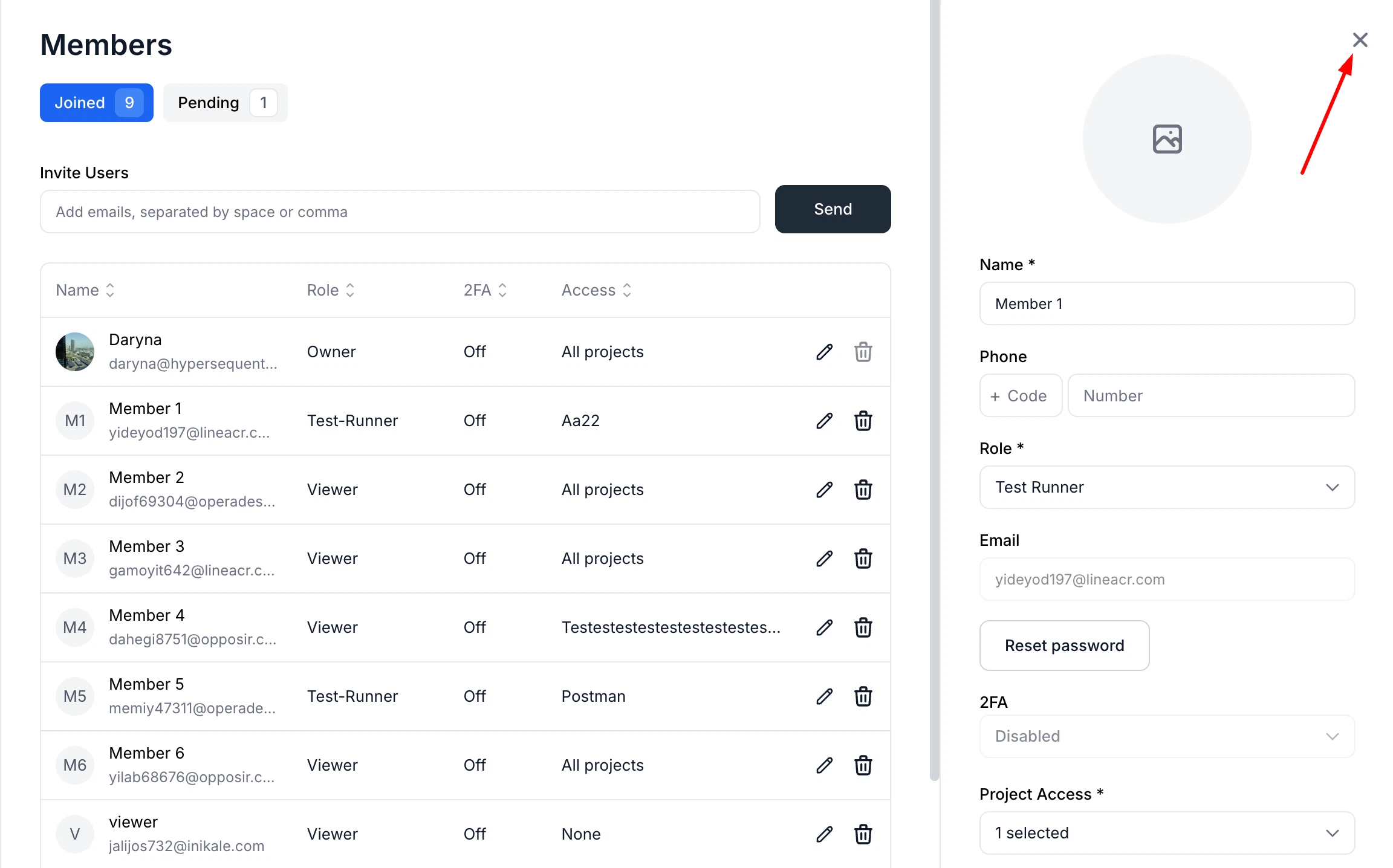
Members sidebar improvements
Added a close button to the Members edit sidebar for easier navigation.
-
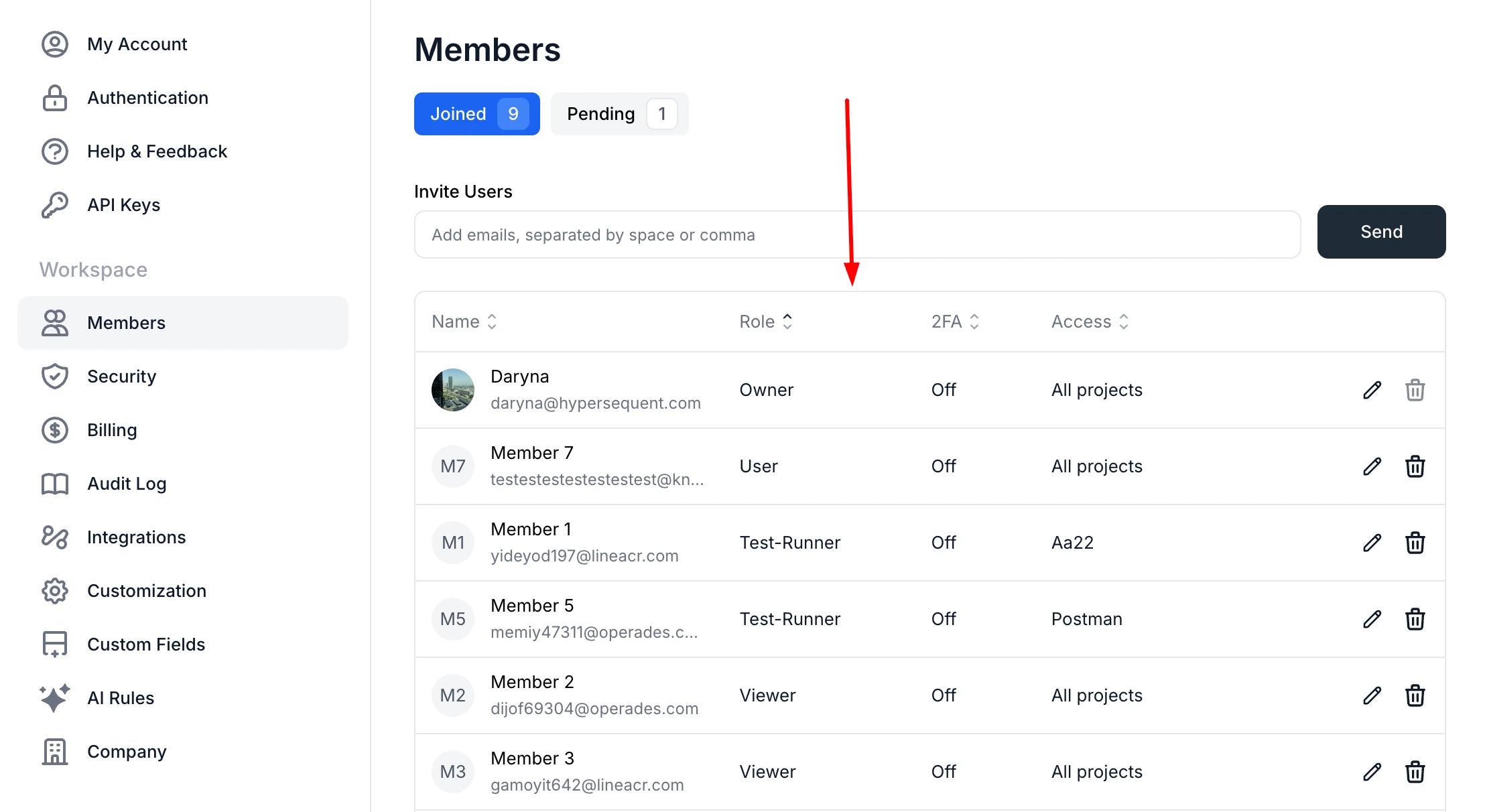
Sorting in Members settings
Now you can sort users in Settings → Members by Name/Email, Role, 2FA, and Access. Sorting works with a three-state cycle (asc/desc/reset), and keeps indicators always visible.
-
Improved Test Run and Test Plan sorting
Test Runs and Test Plans now update their activity time only when results are added. Until then, sorting is based on creation time, ensuring more accurate ordering.
Fixes
This release also includes dozens of targeted improvements across the app.
- Fixed project permissions selection in the Webhook modal
- Fixed slow test case list loading for large datasets
- Fixed the "+ Attach Jira Issue" dropdown not opening in Firefox due to panel width and scroll interaction issues
- Fixed duplicate submissions in the custom field modal by disabling the Create button after submission starts
We're building QA Sphere to stay fast, reliable, and modern—without the bloat. Have questions or feedback? Drop us a note at [email protected].